
 |
🛠️ Boost your Unity workflows with InspectMe! Our tool simplifies debugging with an intuitive tree view. Check it out! 👉 InspectMe Lite - InspectMe Pro |
Dive into the vibrant world of Bubble Shooter Game, where strategy meets fun! This game challenges you to match and clear bubbles on a dynamic grid using precision and quick thinking.
Catch a glimpse of the gameplay and mechanics in action: Watch the Video Demo on YouTube
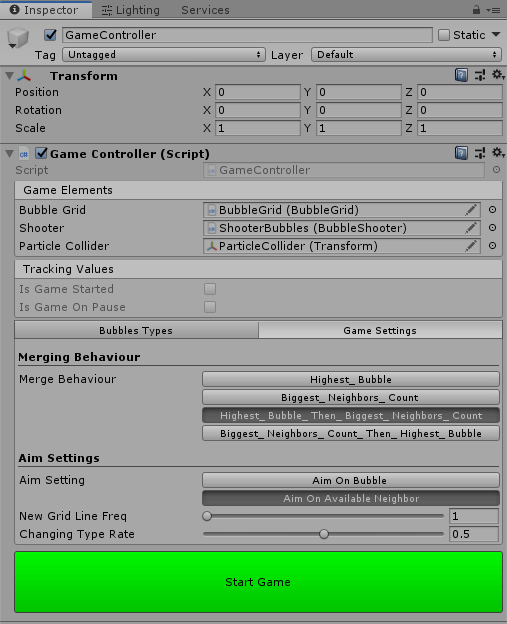
The GameController script is where the magic begins. It allows for custom configurations of bubble types, colors, and grid generation limits.
You can define how bubbles will merge based on various criteria:
- Highest Bubble
- Biggest Neighbors Count
- Highest Bubble Then Biggest Neighbors Count
- Biggest Neighbors Count Then Highest Bubble
Choose your aiming method:
- Aim on Bubble: Directly target a bubble.
- Aim on Available Neighbor: Target available neighboring spaces.

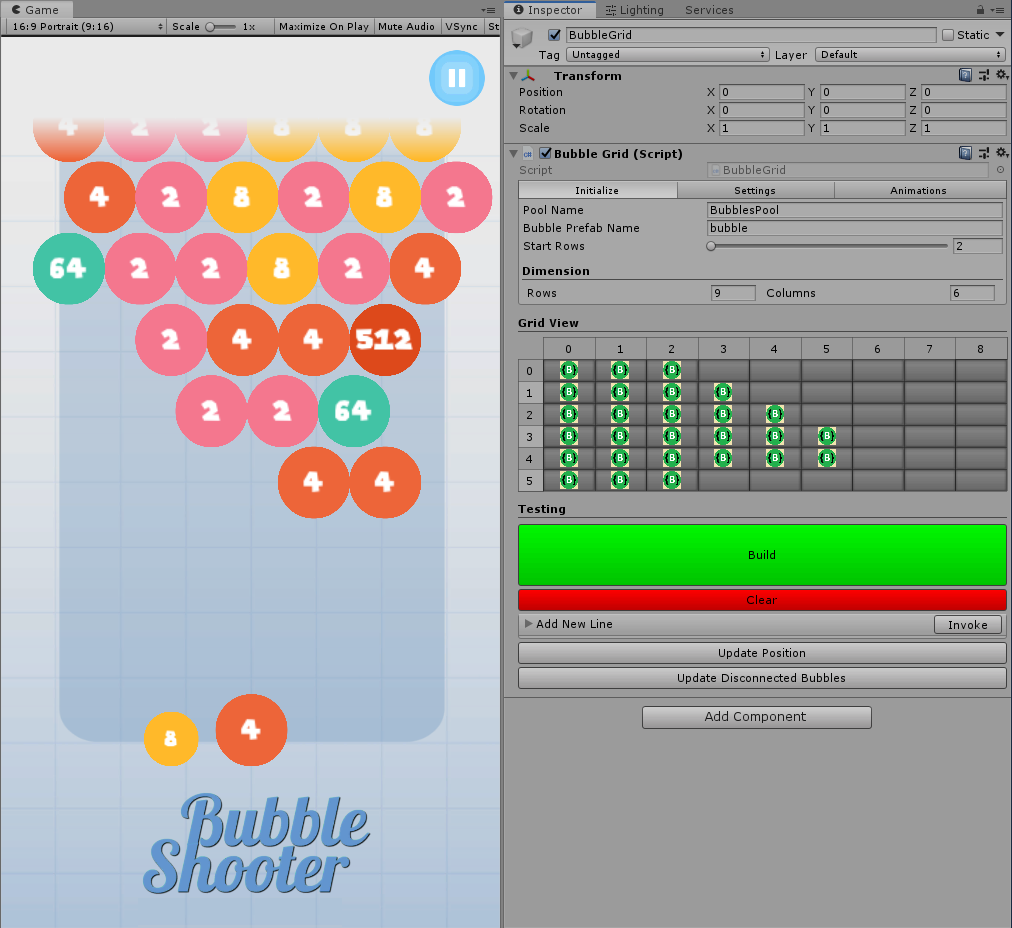
This script sets up the grid dimensions, initial rows, bubble sizes, and alignment. It also controls the animations of bubbles within the grid.


Finally, the BubbleShooter script allows for the setup of the aim and animations for shooting bubbles, providing you with all the tools needed for precise gameplay.


This brief overview covers the core functionalities and scripts of the Bubble Shooter Game. The source code is designed for easy navigation and modification, offering insights into effective game mechanics and UI handling in Unity.
|
🛠️ Boost your Unity workflows with InspectMe! Our tool simplifies debugging with an intuitive tree view. Check it out! 👉 InspectMe Lite - InspectMe Pro |