





Keep track of your spending, investments and assets, so you know where you stand and can make better decisions.
Read the Docs
·
Report a Bug
·
Request a Feature
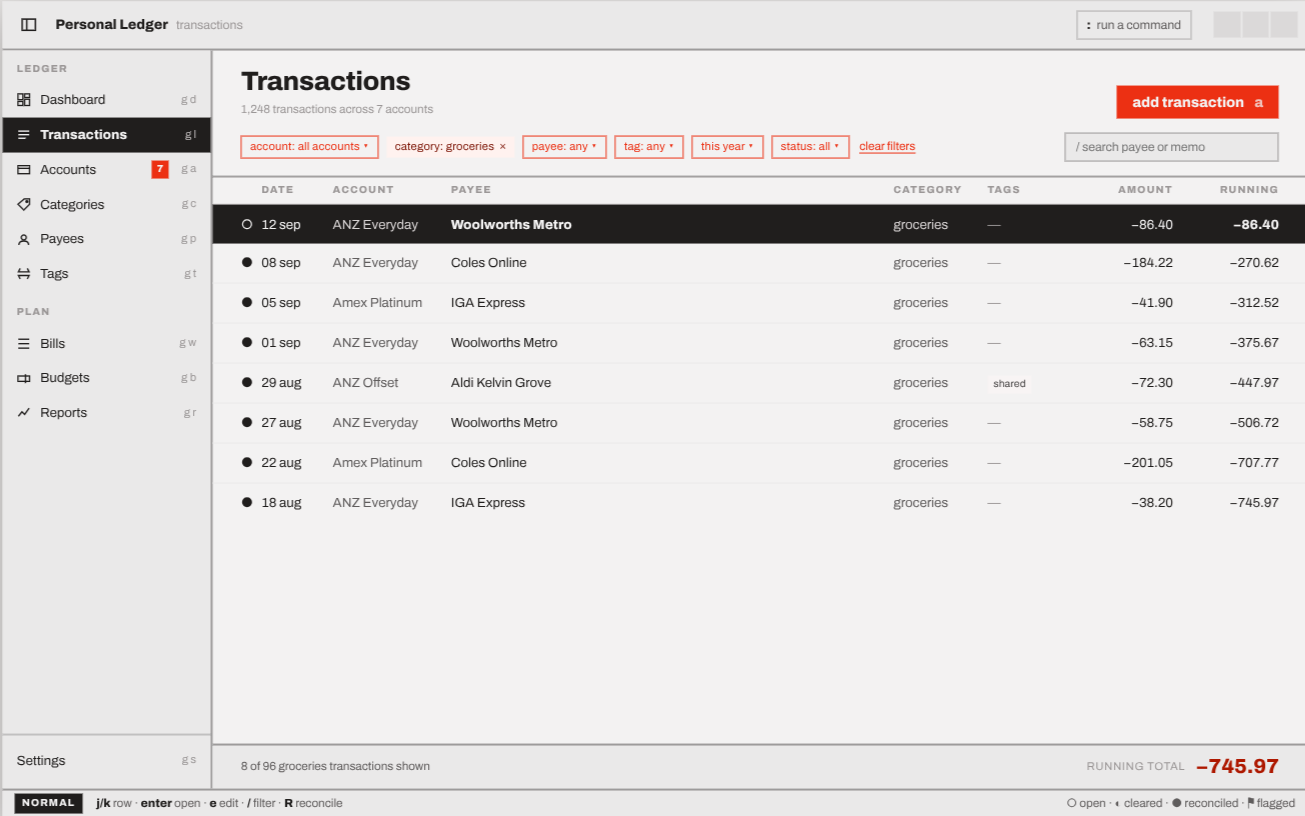
The Desktop Client
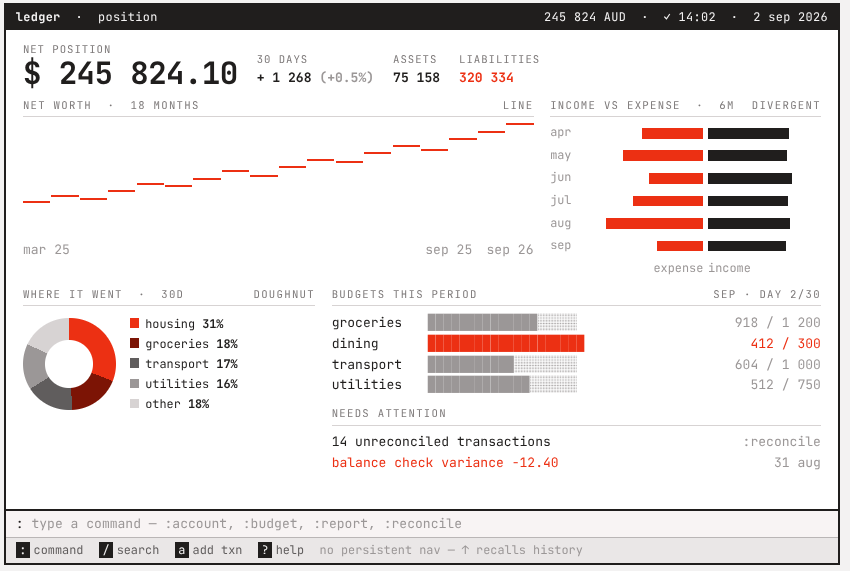
The TUI Client
Personal Ledger is a personal finance app. The goal is simple: show you clearly where your money goes and what you own, so you can keep an eye on your finances and plan ahead.
Why build another one?
- Every finance app has opinions, and none of the ones I tried matched mine. The rest wanted a hefty monthly subscription.
- I (perhaps naively) thought I could do better.
- It's a fun way to sharpen my programming skills.
Personal Ledger is made of a few pieces you can mix and match:
- Desktop app (in development): a native desktop app.
- TUI app (in development): the same ledger in your terminal.
- Sync Server (in development): an optional server that keeps your ledger in sync across devices. Runs as a standalone binary or in Docker.
Right now the apps are built UI-first, so most screens show sample data. Saving your own data comes next.
It's Rust all the way down, because that's the language I want to get better at:
- SQLite with SQLx for storage
- GPUI and gpui-component for the desktop app
- Ratatui for the terminal app
- Tonic (gRPC) and Axum for the Sync Server
There's nothing to install yet. If you'd like to build it yourself or help out, read on.
Tool versions (Rust, protoc, mdBook, sqlx-cli and friends) are pinned in mise.toml and managed by mise. Install mise, then let it install everything else:
curl https://mise.run | sh
cd personal-ledger
mise trust
mise installThe database crate checks its SQL queries at compile time, so it needs a database to check against. Create a .env file in the repo root:
DATABASE_URL=sqlite:/absolute/path/to/Personal-Ledger/.personal-ledger-dev.dbThen build the database:
mise run dbcargo build # build everything
mise run watch-desktop # run the desktop app, reloading on save
mise run watch-tui # run the terminal app, reloading on save
cargo run --package bin_sync_server # run the Sync Servercargo test # run all the tests
mise run lint # the same checks CI runs (rustfmt + clippy)
mise run lint-fixRun mise run install-hooks once and a pre-push hook will run the lint checks for you.
Run mise tasks to see every available task, including docs (docs-serve) and database helpers (db-*).
The repo is set up for AI coding agents like Claude Code. Agent conventions live in CLAUDE.md and project skills in .claude/skills/. The workflow (idea → spec → tickets → TDD → review) follows Matt Pocock's skills.
- Finish the desktop and TUI screens
- Save real data to the local ledger
- Sync between devices through the Sync Server
- Packaging and releases
See the project board for the full list.
Contributions are welcome. Fork the repo, make your change on a branch and open a pull request. Got an idea but no code? Open an issue.
Personal Ledger is licensed under the MIT License. See LICENSE for details.
Versions up to the relicensing commit (d5bcd50) were published under GPL-3.0, and copies obtained before then remain available under GPL-3.0. See ADR-0036 for the decision.
Ian Teda — ian@teda.id.au
Not quite what you're after? These might suit you better: