

Web application for playing oldschool card game in modern way.
Explore Usage topic »
Report Bug
·
Request Feature
Table of Contents
Did you mess sometimes with broken feelings? This game perfectly suits you. In classic poker game we probably get nothing higher than Tree of Kind or Flush. But everybody has real chance to get Four of Kind or even Poker in this game. A lot of jokers, huge decks, interesting combinations. It's funny, it's cheeky, it's bizarre!
- Single page application for WEB and Rest API for other clients.
- Storing every game state on server side that user has no worries about losing connection or close his laptop. User can continue from point it was ended.
- Almost realtime updating game state in WEB without any splecial actions.
- A lot of thing easy to customize. Bizarre Poker has 4 pre-difined configurations (
classic,foolish,crazyandbizarre) and you may add onother one. forceaction which allows user to play not only with friends, but also alone.


This is a simple guide how to build up an application locally. Just follow this steps.
- python 3.10.4
- pip 22.2.2
- node 16.15.1
- npm 8.11.0
- Clone the repo.
$ git clone git@github.com:MishaVyb/bizarre-poker.git
- Prepare server side requirements in virtual environment.
$ cd bizarre-poker/backend$ python3.10 -m venv venv
$ source venv/bin/activate(venv) $ pip install -r requirements.txt
- Apply default data with user and games prepared especially for saving your time. You may pass this step and create users and games by your own later. But don`t forget to make migrations anyway.
(venv) $ python manage.py migrate
(venv) $ python manage.py apply_data
- Run Django server which provides Rest API for client side.
(venv) $ python manage.py runserver
- Great. Now server is running.
To make sure that everything is right, open new shell window and make a request to api root.$ curl -X GET http://127.0.0.1:8000/api/v1/ {"games":"http://127.0.0.1:8000/api/v1/games/"} - Almost done. Now we have to make a deal with client side.
(venv) $ deactivate
$ cd ../frontend - Install dependencies and run react application:
$ npm install
$ npm start
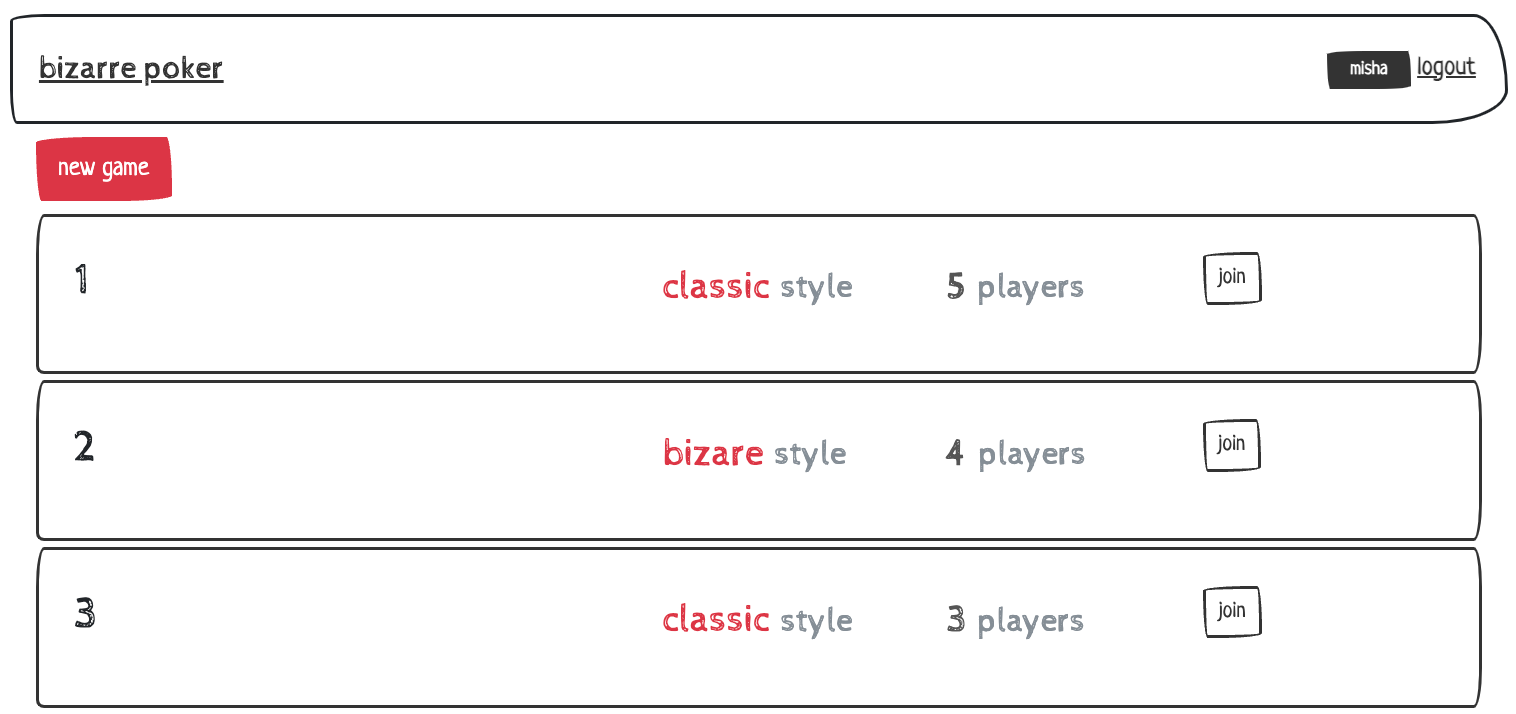
- Thats all. Browser will open localhost automatically and you're supposed to see home page:
Look at default data prepared for informational purposes. You can change this file or make your own json to provide another initial data. It could be applied by django command:
$ python manage.py apply_data <path_to_json_data_file>Don't confused with built in django command ./manage.py loaddata dump.json. The purpose is the same, but it's more easy to configurate custom json data file.
Go to configurations module. You can describe new config json file or change provided. For exaple, we want simple game where players get their cards and compare combinations - that's all. No Biddings stages. No flop.
- Create new config file.
$ touch backend/apps/games/configurations/setups/my_config.json- Specify list of stages and any other amounts you want.
{
    "name": "my_config",
    "stages": ["DealCardsStage", "OpposingStage"],
    "deal_cards_amount": 5,
    "jokers_amount": 10
}- Apply new setup in configurations.py.
class ConfigChoices(models.TextChoices):
    BIZARRE = 'bizarre'
    FOOLISH = 'foolish'
    ...
MY_CONFIG = 'my_config'- If server is running, you have to restart it to apply changes.
All config files are uploading at program launch.
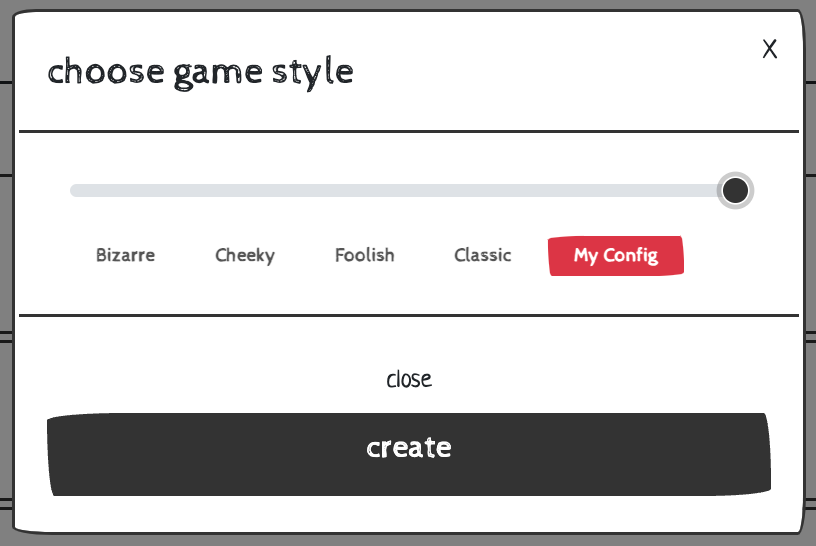
$ python manage.py runserver- For now you can choose your custom configuration at game creation.
Enjoy!
You can play game by writing small python scripts right in django shell. Or describe them as django command. Package services provides all necessary tools to make actions. Here's an example:
You may choose the way for writing game scripts.
- Create module with name of your game script.
$ cd backend/apps/games/management/commands/
$ touch my_game_script.py- Make all necessary imports.
from django.core.management.base import BaseCommand
from games.models import Game
from games.services import actions, processors, stages
from users.models import User- Create class inherited from
BaseCommans.
class Command(BaseCommand):
    requires_migrations_checks = True

    def handle(self, *args, **options):
...- Run
djangoshell and make all necessary imports.
$ python manage.py shell- Let's take three players:
misha,simaandbart. You can create them or get by usal Django ORM methods.
Make sure you're importing User from users app (not django's default).
misha = User.objects.get('misha')
...- Create game with our users.
game = Game(players=[misha, sima, bart], commit=True)- Run actions in one line.
actions.StartAction.run(game)
actions.PlaceBlind.run(game)
...- You can specify who exactly makes action.
actions.PlaceBlind.run(game, bart)
actions.PlaceBet.run(game, misha, value=20)
...- But be carefull with making not available action.
try:
    actions.PlaceBetReply.run(game, bart)
except actions.ActionError as e:
    # at current moment game waiting that 'sima' reply to bet, not 'bart'
pass- Finally, let's quit game by one player and Say
passby other and look how game ends.
actions.LeaveGame.run(game)
actions.PassAction.run(game)Also you can run auto processing with some pre-definitions of how it should go.
- Prepare action that would be performed later.
Make notice for last argument: we can provide exactly on which stage this action will be performed.
huge_bet = actions.PlaceBet.prototype(
    game, misha, 500, stages.BiddingsStage_3
)- Create processor that will stop at final stage.
script = processors.AutoProcessor(
    game,
    with_actions=[huge_bet],
    stop_after_stage=stages.OpposingStage,
)- Execute our game script.
script.run()- If you are making game script as
Command, run it by this line.
$ python manage.py my_game_script- If you are using
shell, you'll see log output just afrer every action runs. - Also you can specify the way of cards representation in logs. By default it's emoji, but you may not like it. Just add this line in beginning of your script.
Card.Text.repr_method = 'eng_short_suit' or 'classic'For more details have a look at cards module.
See auto-generated documentation for API to get all info about available resources and methods. Make sure that django server is running.
The most native way to try all application feauteres.
Go to browser and log in or sign up.
It is recomended to use default data described above and make log in as admin user with this authentication credentials:
username: vybornyy
password: vybornyy
Or sign up as new user, if you want.
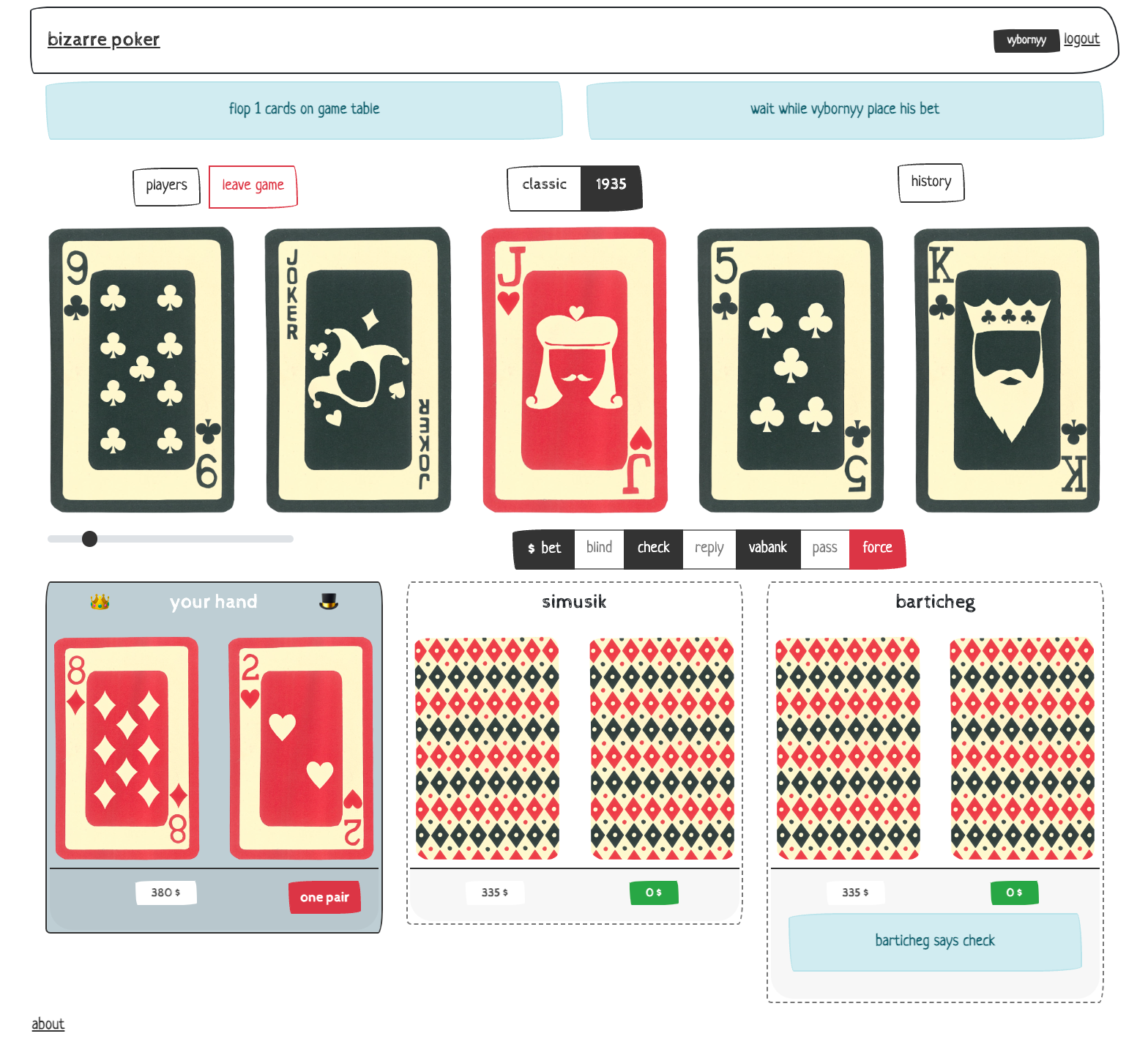
Just click join button. Notice that host of the game has to approve your participation. Or you can create new game. In that way you will be host player.
-
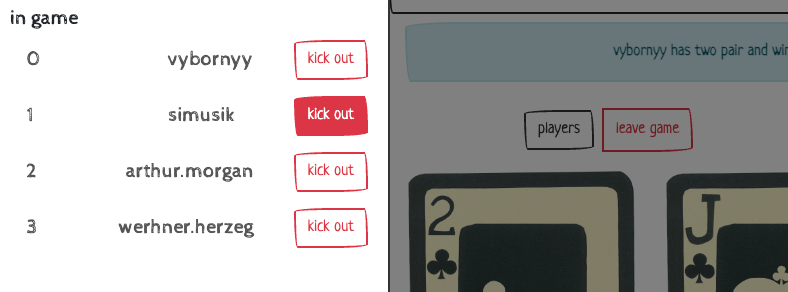
Join other players or kick out them (if you are
hostand only between game rounds).
-
See your combination detail by clicling on combo name.
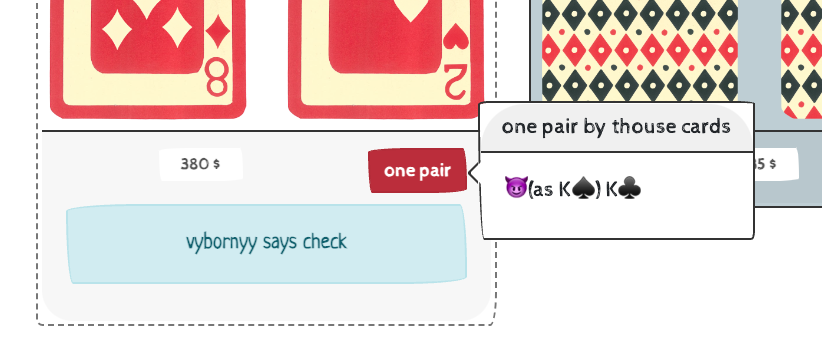
-
And don't hessitate playing alone. If you are logged in as
adminuser, it is avaliable perform action for another players.
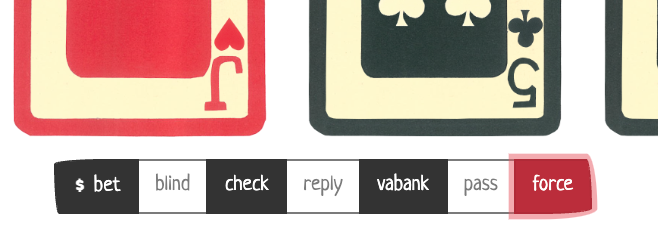
forceis a special button to proceed game further. It makes action by current game performer. Supplied mostly for test purposes.
Contributions are what make the open source community such an amazing place to learn, inspire, and create. Any contributions you make are greatly appreciated.
If you have a suggestion that would make this better, please fork the repo and create a pull request. You can also simply open an issue with the tag "enhancement". Don't forget to give the project a star! Thanks again!
- Fork the Project
- Create your Feature Branch
git checkout -b feature/SomeFeature- Commit your Changes
git commit -m 'add some new features'- Push to the Branch
git push origin feature/SomeFeature- Open a Pull Request
Distributed under the GNU General Public License. See LICENSE.txt for more information.
Misha Vybornyy:

