
⚠️ SECURITY WARNING: This code has NOT been security audited and should NOT be used in production. See SECURITY.md for critical security considerations, attack vectors, and limitations.
A browser-only file upload application powered by WebAuthn DIDs, worker-based Ed25519 keystore, and UCAN delegations on Storacha.
- 🌐 Live Demo
- 🎥 Demo Video
- 🏗️ Architecture
- 🚀 Features
- 🔄 How It Works
- 📦 Setup
- Aleph IPFS Deployment
- 🔐 Security
- 🛠️ Technical Details
- 📝 Notes
- 🔗 Resources
- 📚 Project Documentation
- 📄 License
To mitigate the above stated security risks, please use the browser app only in:
- Browsers without any installed browser extensions (e.g., Chrome extensions), or
- Mobile phones where the attack surface is much smaller
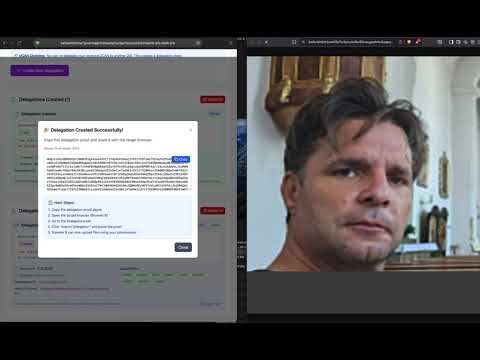
Click the image above to watch the demo video on YouTube
📊 For detailed visual diagrams and flow charts, see ARCHITECTURE_FLOW.md
Includes sequence diagrams for WebAuthn, Ed25519 keystore, delegation flows, and complete end-to-end scenarios with Mermaid visualizations.
- Hardware-secured identity using device biometrics (Face ID, Touch ID, Windows Hello)
- P-256 elliptic curve cryptography (WebAuthn also supports Ed25519)
- DID format:
did:key:zDna...(P-256 public key) - Used for: Initial authentication, PRF seed derivation
- Note: Cannot sign UCANs due to WebAuthn signature format (see SECURITY.md)
- Ed25519 keypair generated in a dedicated web worker
- AES-GCM encryption key derived from WebAuthn PRF seed (deterministic)
- Private key never leaves the worker (see Security warnings)
- DID format:
did:key:z6Mk...(Ed25519 public key) - Used for: UCAN signing, Storacha client principal
Worker Functions:
init(prfSeed)- Initialize AES key from WebAuthn PRF seedgenerateKeypair()- Generate Ed25519 keypair and archiveencrypt(plaintext)- Encrypt data with AES-GCMdecrypt(ciphertext, iv)- Decrypt data with AES-GCMsign(data)- Sign data with Ed25519 private keyverify(data, signature)- Verify Ed25519 signature
WebAuthn Credential (P-256)
    ↓
rawCredentialId (PRF seed)
    ↓
Worker: HKDF-SHA-256 → AES-GCM key
    ↓
Worker: Generate Ed25519 keypair
    ↓
Worker: Create Ed25519Signer archive
    ↓
Encrypt archive with AES key → localStorage
    ↓
Reconstruct Ed25519Signer for Storacha client
- Automatically generated on first authentication
- Derived from WebAuthn credential (deterministic per credential)
- Stored encrypted in localStorage
- Format:
did:key:z6Mk...
# On Storacha CLI, create delegation for your Ed25519 DID
storacha delegation create did:key:z6Mkwa35STKQF1i5eoDYtQ4W1y6y6NbE9RXe3QiJt7aSK6uS --base64
This outputs a base64-encoded UCAN delegation proof.
- Paste the delegation proof from Storacha CLI
- App verifies the delegation is for your current Ed25519 DID
- Format auto-detection: Supports multiple formats including:
multibase-base64(Storacha CLI format with 'm' prefix)multibase-base64url(with 'u' prefix)- CAR format, JSON format, and other legacy formats
- Delegation stored in localStorage with detected format displayed
- Capabilities:
upload/*,store/*,blob/*,space/*, etc.
- Drag & drop or click to select
- File uploaded to Storacha using delegation
- Returns CID (Content Identifier)
- Files stored on Filecoin network
- Lists all uploads in your Storacha space
- Uses delegation with
upload/listcapability - Shows CID, upload date, shards
- Spins up a browser Helia node to fetch files directly over IPFS
- Falls back to public gateways if Helia cannot fetch
- Thumbnails use the same Helia-first blob pipeline
- Create new delegations from your current Ed25519 DID
- Delegate to another DID with specific capabilities
- Delegation chaining supported - create sub-delegations from received delegations
- Expiration support (1 hour to 10 years, or never)
- Works with both Storacha credentials and received delegations
- Revoke delegations you created to immediately block access
- Integrated with Storacha's revocation registry
- Real-time validation - all operations check revocation status before executing
- Visual indicators - Clear UI badges showing Active/Revoked/Expired status
- Automatic caching - Revocation checks are cached for 5 minutes to minimize API calls
- Security first - Essential for handling lost devices, mistakes, or security incidents
- Permanent action - Revocations cannot be undone (by design)
- Works with both issuer and audience of delegations
How it works:
- Click "Revoke" button on any delegation you created
- Confirm the action (cannot be undone)
- Revocation request sent to Storacha service
- Delegation marked as revoked in local storage
- Recipient can no longer use the delegation for uploads
- Revocation status synced via
https://up.storacha.network/revocations/
- 100% browser-based - No backend server required
- Client-side only - All cryptography happens in browser/web worker
- Deployed to IPFS - Static files served from decentralized storage
- WebAuthn + UCAN - Hardware-backed identity + decentralized authorization
- Authenticate with WebAuthn → Generate Ed25519 DID
- Add Storacha credentials (key + proof) OR import delegation from CLI/another browser
- Create delegation for Browser B's DID with selected capabilities
- Share delegation proof (base64 string) with Browser B
- Authenticate with WebAuthn → Generate own Ed25519 DID
- Import delegation proof from Browser A
- Upload/list/delete files using delegated permissions
- No Storacha credentials needed - operates entirely through delegated authority!
Storacha Console → Browser A → Browser B → Browser C
                    (creates   (re-delegates
                    delegation) to Browser C)
Each browser can create sub-delegations from received delegations, enabling flexible permission management across devices and users.
- Modern browser with WebAuthn support
- Device with biometric authentication
- Storacha account and credentials (for creating delegations)
cd web
npm install
npm run devUse this when you want the local upload service + Helia preview flow. The
storacha:memory output includes a Helia multiaddr you should pass to the app.
Terminal 1: local upload API + Helia
npm run storacha:memoryTerminal 2: web app pointed at local API
VITE_UPLOAD_SERVICE_URL=http://127.0.0.1:8787 \
VITE_UPLOAD_SERVICE_DID=did:web:test.up.storacha.network \
VITE_REVOCATION_URL=http://127.0.0.1:8787 \
VITE_HELIA_ADDRS=/ip4/127.0.0.1/tcp/PORT/ws/p2p/PEER_ID \
npm run dev:local
Terminal 3: create a delegation (CLI or helper script)
cd web
node scripts/test-local-delegation.js
Then paste the delegation proof into the app.
For more detail, see docs/local-dev.md (setup) and docs/LOCAL_STORACHA_STATUS.md
(status, Helia notes, troubleshooting).
The Aleph PWA Deploy workflow builds the static Vite app in web/, publishes
web/dist to Aleph IPFS, and can link a production domain for the PWA.
Required repository secret:
ALEPH_PRIVATE_KEY: Ethereum private key used by the Aleph hosting action.
Recommended repository variables:
UCAN_STORE_PWA_DOMAIN: custom frontend domain to attach to the Aleph site, for exampleupload.example.com.UCAN_STORE_WEBSITE_NAME: Aleph website identifier. Defaults toucan-store.UCAN_STORE_SERVICE_ORIGIN: public origin of the paired upload-service VM, for examplehttps://upload-api.example.com.UCAN_STORE_SERVICE_DID: DID of the paired upload-service VM.UCAN_STORE_SERVICE_MANIFEST_URL: optional explicit manifest URL. Use this when the PWA should read the manifest directly from the service domain.UCAN_STORE_REVOCATION_URL,UCAN_STORE_REVOCATION_DID, andUCAN_STORE_RECEIPTS_URL: optional runtime endpoints exposed to the app.UCAN_STORE_SPACE_DID: optional space/resource DID written into the static service manifest.UCAN_STORE_ALLOWED_CAPABILITIES: optional comma-separated capability list written into the static service manifest.ALEPH_OWNER_ADDRESS: optional Aleph owner address when deploying on behalf of another account. Leave this disabled when it is the same address asALEPH_PRIVATE_KEY; setALEPH_USE_OWNER_ADDRESS=trueonly for delegated owner billing.ALEPH_USE_OWNER_ADDRESS: set totrueto passALEPH_OWNER_ADDRESSinto the Aleph hosting action.ALEPH_RETENTION_DAYS: optional cleanup window for older Aleph website versions.
When UCAN_STORE_SERVICE_ORIGIN and UCAN_STORE_SERVICE_DID are configured,
the workflow writes both /.well-known/ucan-store.json and
/service-manifest.json into the static bundle. The PWA can then resolve the
paired service from its own custom domain. If those variables are omitted, the
app still supports runtime discovery through UCAN_STORE_SERVICE_MANIFEST_URL
or the existing VITE_* fallback values.
The Aleph Upload Service VM workflow builds the ucan-store rootfs with the
shared NiKrause/relay-button tooling. On main pushes it publishes a fresh
rootfs when local-storacha-api/, the Aleph contract, or package lockfiles
change. Manual runs can also deploy a VM from the published image.
Required repository secrets for VM deploys:
ALEPH_PRIVATE_KEY: Ethereum private key used to publish the rootfs and create the Aleph VM. The default workflow also derives the UCAN admin Ed25519 key and root delegation proof from this key with relay-button's domain-separatedderive-from-aleph-private-keymode.VM_SSH_PUBLIC_KEY: SSH public key installed into the VM unless the manual workflow input overrides it.
Optional repository secrets:
UCAN_STORE_BOOTSTRAP_JSON: canonical bootstrap package containing the admin DID, service DID/origin binding, space DID, allowed capabilities, and root delegation proof. When set, this explicit package overrides automatic derivation.
Recommended repository variables:
UCAN_STORE_BOOTSTRAP_MODE: bootstrap mode for VM deploys. Defaults toderive-from-aleph-private-key.UCAN_STORE_SERVICE_DID: public service DID, for exampledid:web:upload-api.example.com.UCAN_STORE_SERVICE_ORIGIN: public upload-service VM origin, for examplehttps://upload-api.example.com.UCAN_STORE_PWA_ORIGIN: public PWA origin used in the derived bootstrap package, for examplehttps://ucan.nicokrause.com.UCAN_STORE_ALLOWED_CAPABILITIES: comma-separated capability list included in the generated root delegation.UCAN_STORE_ADMIN_DID: optional manual admin DID hint. Automatic derivation emits the actual admin DID in the workflow summary.ALEPH_VM_CRN_HASH: optional target CRN hash for deployments.
The base VM profile exposes only 22/tcp, temporary setup 80/tcp, and public
HTTPS 443/tcp. Public Helia/IPFS gateway exposure remains a later milestone.
Option 1: Using Storacha CLI (Recommended for first browser)
- Authenticate - Click "Authenticate with Biometric"
- Get Your DID - Copy your Ed25519 DID from the UI
- Create Delegation - Use Storacha CLI:
storacha delegation create <your-did> --base64
- Import Delegation - Paste the delegation proof
- Upload Files - Start uploading!
Option 2: Browser-to-Browser Delegation (No Storacha account needed)
- Browser A: Add Storacha credentials or import CLI delegation
- Browser B: Authenticate → Copy your Ed25519 DID
- Browser A: Create delegation for Browser B's DID
- Browser A: Share the delegation proof (copy/paste, QR code, etc.)
- Browser B: Import delegation proof
- Browser B: Upload files without Storacha account!
Option 3: Direct Storacha Credentials (Advanced)
- Authenticate - Click "Authenticate with Biometric"
- Add Credentials - Enter your Storacha private key, space proof, and space DID
- Upload Files - Start uploading and creating delegations!
⚠️ READ FIRST: Please review SECURITY.md for critical security warnings and attack vectors.
A planned version will use Distributed Key Generation (DKG) across multiple devices (browser + mobile), where:
- No single device holds the complete private key
- Signing requires confirmation from multiple devices (e.g., scan QR code on mobile)
- Devices communicate via js-libp2p
- Hardware-backed security on all devices
- Enables secure credential storage on Storacha
See PLANNING.md for the complete roadmap and technical details.
- Location:
web/src/workers/ed25519-keystore.worker.ts - Generates Ed25519 keypair using Web Crypto API
- Creates
@ucanto/principal/ed25519compatible archive - AES key derived deterministically from PRF seed
- Location:
web/src/lib/secure-ed25519-did.ts - Wraps worker communication
- Provides
encryptArchive()/decryptArchive()helpers - Manages DID generation and storage
- Location:
web/src/lib/ucan-delegation.ts - Manages Storacha client initialization
- Handles delegation import/export
- Upload/list/delete operations
- Deterministic DID: Same WebAuthn credential always produces same Ed25519 DID
- Archive Encryption: Archive encrypted with AES-GCM, decrypted only in worker
- Delegation Mismatch: If DID changes, delegation must be recreated
- Worker Persistence: Worker state lost on page reload; archive restored from localStorage
- Delegation Chaining: Can create sub-delegations from received delegations, enabling permission cascading across browsers/devices
- Format Auto-Detection: Uses ucanto
extract()first (for app-created delegations), falls back to StorachaProof.parse()(for CLI delegations), maintaining backward compatibility - Base64 Encoding Compatibility: Handles both standard base64 (Storacha CLI) and base64url formats by detecting the multibase prefix ('m' or 'u') and normalizing accordingly. See issue #590 for background on the encoding challenge.
- WebAuthn Level 3 (W3C) - Web Authentication API specification
- §6.5.5 Authentication Assertion - Signature format details
- §6.5 CollectedClientData - Origin-bound data structure
- UCAN Specification - User Controlled Authorization Networks
- DID Key Method - Decentralized Identifiers using public keys
- Storacha Documentation - Decentralized storage platform
- WebAuthn Guide - Interactive WebAuthn tutorial
WebAuthn (both P-256 and Ed25519) cannot produce raw signatures suitable for UCAN tokens due to the signature format specification. WebAuthn signs authenticatorData || hash(clientDataJSON) which includes origin, ceremony type, and other metadata - making signatures non-portable and incompatible with UCAN's requirement for raw cryptographic signatures.
See SECURITY.md § WebAuthn UCAN Signing for detailed technical explanation.
- SECURITY.md - Security warnings, attack vectors, and limitations
- PLANNING.md - Future roadmap and planned features (5 phases)
- LICENSE - MIT License
- ARCHITECTURE_FLOW.md - 🆕 Complete visual architecture with detailed Mermaid diagrams:
- High-level system architecture
- WebAuthn PRF authentication flow
- Ed25519 keystore worker operations
- DID generation (P-256 & Ed25519)
- UCAN delegation creation & import
- File upload with delegations
- Revocation system
- End-to-end multi-browser flow
- WEBAUTHN_PRF_IMPLEMENTATION.md - WebAuthn PRF extension implementation details
- KEYSTORE_ARCHITECTURE.md - Web worker-based Ed25519 keystore architecture
- SECURE_CREDENTIAL_STORAGE.md - largeBlob + Storacha architecture (Phase 1.5)
- REVOCATION_IMPLEMENTATION.md - UCAN revocation technical details (Phase 0)
- REVOCATION_QUICKSTART.md - Revocation testing guide
- UX_IMPROVEMENT_AUTO_NAVIGATION.md - Auto-navigation UX improvement
- BUGFIX_DID_WEB_REVOCATION.md - did:web support bug fixes
This project is licensed under the MIT License - see the LICENSE file for details.