AR Indoor Navigation for Meta Quest 3 powered by MultiSet Visual Positioning System (VPS), OpenXR, and Mixed Reality passthrough — built as a proof-of-concept for university campus indoor navigation.


Note
Recorded at commit 6b0d347 — Adding Meta XR Simulator into The Project
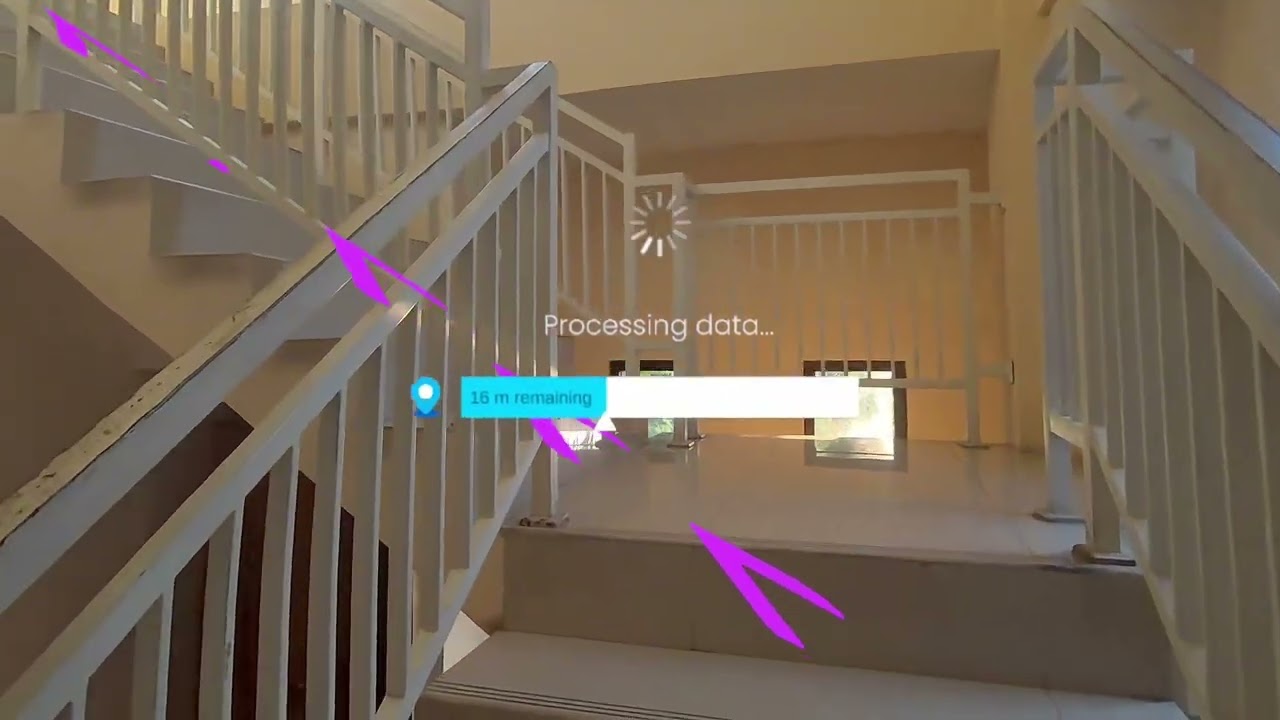
MultiSetNav is an Augmented Reality indoor navigation application that uses Visual Positioning System (VPS) technology from MultiSet to achieve accurate room-level localization — no GPS, no QR codes, no markers required.
This project runs on two parallel platform tracks:
| Track | Platform | Technology |
|---|---|---|
| Main | Android (ARCore) | ARFoundation, ARCore |
| This repo | Meta Quest 3 (Mixed Reality) | OpenXR, OVRCameraRig, MR Passthrough |
Target deployment: PENS PSDKU Lamongan — indoor navigation for students, visitors, and staff.
Scan environment → Upload to MultiSet Cloud → Get a Map Code
        ↓
Set the Map Code in Unity (MultiSet SDK Manager)
        ↓
SDK performs 6-DoF localization using the Quest camera
        ↓
All AR content (children of MapSpace) auto-anchors to the real world
Because the map is scanned once and stored in the MultiSet cloud, the same map works on both Android and Quest simultaneously — no need to re-scan.

| Component | Version |
|---|---|
| Unity Editor | 6000.4.11f1 |
| Universal Render Pipeline (URP) | 17.4.0 |
| Build Platform | Android / Meta Quest |
| Package | Version | Role |
|---|---|---|
com.multiset.sdk.quest |
1.14.3 (git) | VPS localization, navigation, map anchoring |
com.meta.xr.sdk.core |
83.0.1 | OVRCameraRig, Mixed Reality passthrough |
com.meta.xr.mrutilitykit |
83.0.1 | Scene understanding, room mesh |
com.meta.xr.sdk.interaction.ovr |
83.0.1 | Hand tracking, controller interaction |
com.unity.xr.openxr |
1.16.1 | OpenXR runtime (replaces deprecated Oculus XR Plugin) |
com.unity.xr.management |
4.5.4 | XR plugin lifecycle |
| Package | Version | Role |
|---|---|---|
com.unity.ai.navigation |
2.0.13 | NavMesh indoor pathfinding |
com.unity.inputsystem |
1.19.0 | Controller and hand input |
com.unity.cloud.gltfast |
6.15.1 | Load .glb mesh from MultiSet |
com.unity.cloud.draco |
5.4.3 | Draco mesh compression |
- Photon PUN 2 — multiplayer sync via shared MapSpace coordinate
- FastAPI + PostgreSQL + Redis — role-based navigation backend
- WebSocket — realtime user tracking and notifications
- Unity project with URP active
- MultiSet Quest SDK v1.14.3 installed
- Meta XR Core SDK v83.0.1 installed
- OpenXR dependency fully resolved
- AI Navigation (NavMesh) package installed
- Sample scenes available (Localization, Navigation, SingleFrameLocalization, ObjectTracking)
- Meta XR Simulator available for in-editor testing
- OpenXR enabled in XR Plug-in Management
- First custom scene (beyond the default template)
- Custom scripts
- Map Code from PENS PSDKU Lamongan campus configured
- Coplay MCP integrated for AI-assisted development workflow
MetaQuest3_v3/
├── Assets/
│   ├── Scenes/
│   │   └── SampleScene.unity                    # Default Unity template scene
│   ├── Settings/
│   │   ├── Mobile_Renderer.asset                # URP renderer for Quest build
│   │   ├── PC_Renderer.asset                    # URP renderer for editor
│   │   ├── Mobile_RPAsset.asset                 # URP pipeline settings (mobile)
│   │   └── PC_RPAsset.asset                     # URP pipeline settings (PC)
│   ├── Samples/
│   │   ├── MultiSet Quest SDK/
│   │   │   └── 1.14.3/Sample Scenes/
│   │   │       ├── Localization/
│   │   │       │   └── Localization.unity       # Basic VPS localization
│   │   │       ├── Navigation/
│   │   │       │   ├── Navigation.unity         # NavMesh + path visualization
│   │   │       │   └── MapData/MAP_5LCPVQZ0MR4D/
│   │   │       │       └── MAP_5LCPVQZ0MR4D.glb # Sample map mesh (editor only)
│   │   │       ├── SingleFrameLocalization/
│   │   │       │   └── SingleFrameLocalization.unity
│   │   │       └── ObjectTracking/
│   │   │           └── ObjectTracking.unity
│   │   └── Meta XR Interaction SDK Essentials/
│   │       └── 83.0.1/UnityXR Integration/
│   │           └── UnityXRComprehensiveRigExample.unity
│   └── TextMesh Pro/
├── Packages/
│   ├── manifest.json                            # Package dependencies
│   └── packages-lock.json                       # Resolved package versions
└── ProjectSettings/
    ├── ProjectSettings.asset                    # Build target, product settings
    └── XRSettings.asset                         # XR configuration
Important
Never edit scenes inside Assets/Samples/ directly. Copy them to a new folder (e.g. Assets/MultiSetDemoScenes/) before making any changes.
Before opening this project, make sure you have:
- Unity Hub with Unity 6000.4.11f1 installed
- Android Build Support module installed in Unity (includes Android SDK & NDK)
- Meta Quest 3 device, or use the built-in Meta XR Simulator for editor testing
- MultiSet account — required to get a Map Code from a scanned environment
- (Optional) Python 3.10+ for Coplay MCP integration
git clone <repo-url>
# Open Unity Hub → Add → select the MetaQuest3_v3 folder
# Choose Unity 6000.4.11f1Edit → Project Settings → XR Plug-in Management
→ Android tab → check "OpenXR"
→ Run "Fix All" in the Project Validation panel
Edit → Project Settings → XR Plug-in Management → OpenXR
→ Add "Meta Quest feature set"
Warning
Do not use the "Oculus XR Plugin" — it is deprecated. Always use OpenXR.
Make sure Assets/Plugins/Android/AndroidManifest.xml contains:
<uses-permission android:name="horizonos.permission.HEADSET_CAMERA" />This permission is required by the MultiSet Quest SDK to access the headset camera during localization.
Hierarchy → select the "MultiSet SDK Manager" GameObject
Inspector → fill in the "Map Code" field with your map's code
Map Codes are obtained from the MultiSet dashboard after scanning your environment.
Meta XR Simulator is already included in this project. Enable it via:
Meta → Meta XR Simulator → Enable
Use these scenes as reference before building your own. Do not edit them directly.
| Scene | Path | What It Shows |
|---|---|---|
| Localization | Samples/MultiSet Quest SDK/1.14.3/Sample Scenes/Localization/ |
Basic VPS localization — watch how MapSpace moves once localization succeeds |
| Navigation | Samples/MultiSet Quest SDK/1.14.3/Sample Scenes/Navigation/ |
NavMesh pathfinding with path visualization, includes a sample map GLB |
| Single Frame Localization | Samples/MultiSet Quest SDK/1.14.3/Sample Scenes/SingleFrameLocalization/ |
One-shot localization from a single camera frame |
| Object Tracking | Samples/MultiSet Quest SDK/1.14.3/Sample Scenes/ObjectTracking/ |
Tracking physical objects in the real world |
| UnityXR Rig Example | Samples/Meta XR Interaction SDK Essentials/83.0.1/UnityXR Integration/ |
Full Meta XR rig with hands and controllers |
Note
The map GLB file at Navigation/MapData/MAP_5LCPVQZ0MR4D.glb is for editor authoring only. Remove it before your final build.
- Enable and validate OpenXR + Meta XR in project settings
- Build a basic Mixed Reality passthrough scene from scratch
- Localize against a real PENS PSDKU Lamongan campus map
- Confirm MapSpace anchoring works correctly on device
- NavMesh-based indoor navigation on Quest
- POI (Point of Interest) system — adapted from the Android track
- AR path visualization using LineRenderer in passthrough
- Minimal on-device UI (TextMeshPro + World Space Canvas)
- Multiplayer sync via Photon PUN 2 (shared MapSpace coordinate)
- FastAPI backend connection with role-based navigation
- Role-specific POI and notifications (Student, Visitor, Staff, Admin)
- JWT authentication flow
- Scan and upload PENS PSDKU Lamongan campus maps
- Queue management system
- Live user tracking via WebSocket
- Multi-floor navigation using MapSet (multiple linked maps)

| Type | Convention | Examples |
|---|---|---|
| C# Scripts | PascalCase | NavigationManager.cs, POIController.cs |
| GameObjects | PascalCase with spaces | Map Space, Navigation Agent |
| Scene files | PascalCase | MainNavigation.unity |
| Custom folders | PascalCase | MultiSetDemoScenes/, Scripts/ |
| Topic | Note |
|---|---|
| OVRCameraRig, not AR Camera | Quest uses OVRCameraRig. The Main Camera is the center eye. Attach the NavMesh agent here. |
| OpenXR, not Oculus XR Plugin | Oculus XR Plugin is deprecated. Always use OpenXR under XR Plug-in Management. |
| Never edit Samples directly | Copy any sample scene to a separate folder before making changes. |
| Remove .glb before final build | MultiSet map mesh files are for editor authoring only — they are not needed at runtime. |
| Building for Quest = building for Android | In Build Settings, set platform to Android and target the Quest device. |
| MapSpace must be the parent | All AR content must be a child of MapSpace to be anchored to the real world by the SDK. |
| Maps are cross-platform | A map scanned once in MultiSet works on both Android and Meta Quest — no re-scanning needed. |
| Resource | Link |
|---|---|
| MultiSet Quest SDK Docs | https://docs.multiset.ai/multiset-quest-sdk/ |
| MultiSet VPS Overview | https://www.multiset.ai/visual-positioning-system |
| MultiSet SDK Changelog | https://docs.multiset.ai/quick-access/changelog |
| MultiSet GitHub SDK | https://github.com/MultiSet-AI/multiset-quest-sdk |
| Meta XR SDK Setup Guide | https://developers.meta.com/horizon/documentation/unity/unity-project-setup/ |
| OpenXR in Unity | https://docs.unity3d.com/Packages/com.unity.xr.openxr@1.16/manual/index.html |

A huge thanks to MultiSet-AI for building and maintaining the MultiSet SDK — an end-to-end Visual Positioning System platform that makes accurate, marker-free AR localization accessible to developers across Android, Meta Quest, iOS, and WebXR from a single scanned map.
This project would not exist without their work. If you're building AR indoor navigation, go check them out:
- GitHub: github.com/multiset-ai
- Docs: docs.multiset.ai
- Website: multiset.ai
This project is licensed under the WTFPL — Do What The Fuck You Want To Public License. See the LICENSE file for details.
Developed by RockHead07 · Part of the MultiSetNav AR Indoor Navigation project.