
A fast, lightweight, and modern offline music player.


No accounts. No tracking. No internet needed.
Just your music & video, directly from your hard drive.
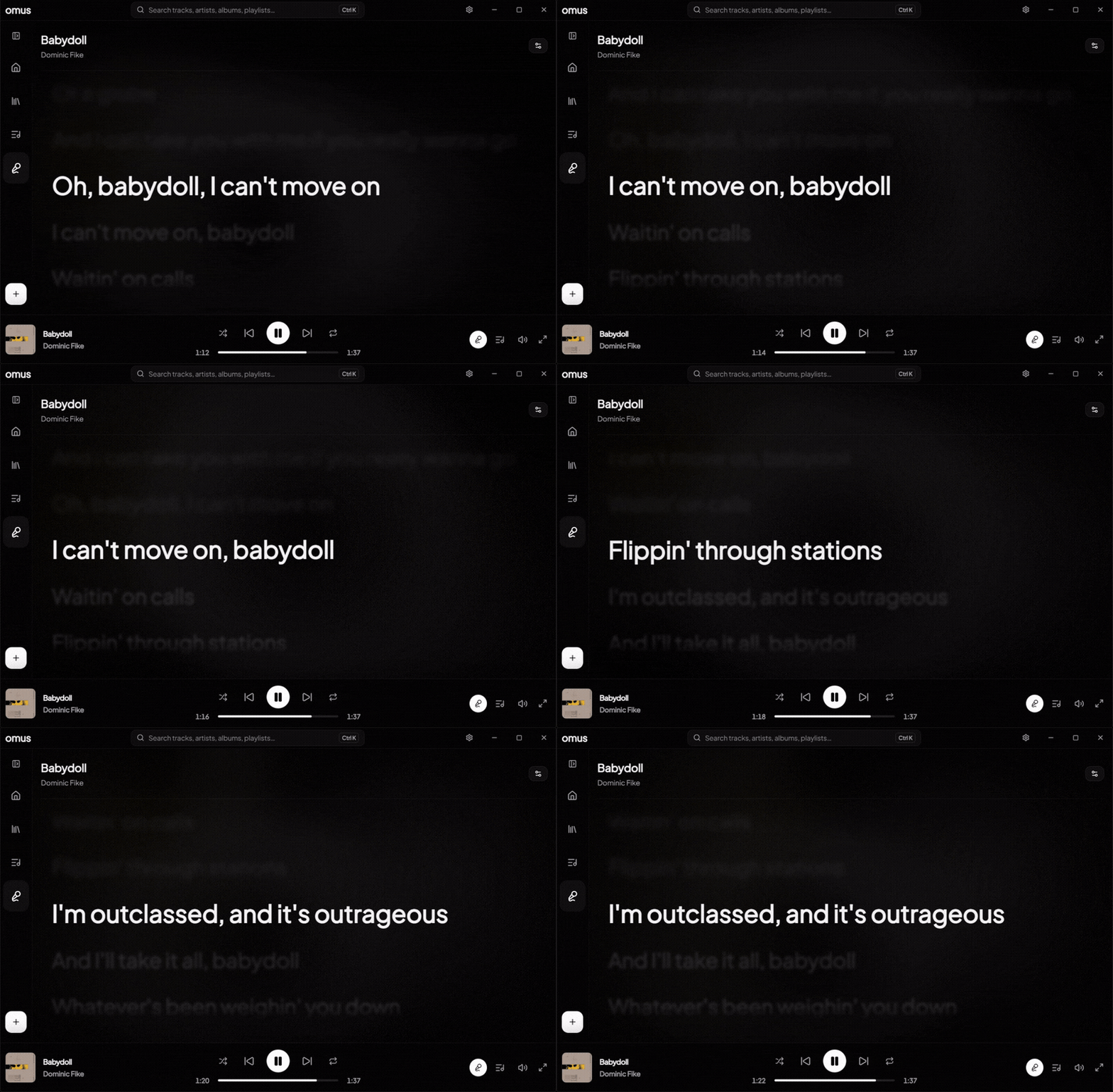

- 🎧 Plays Anything: Full support for
MP3,FLAC,WAV,M4A,OGG,AAC,WMA,ALAC,AIFF, plus video files (MP4,WEBM,MKV, etc.) with a built-in video player. - 🎤 Synced LRC Lyrics: Automatic online lookup via LRCLIB + manual LRC editor, timing offsets, and instant click-to-seek playback.
- 🎚️ Pro Audio Controls: Audio equalizer with presets, preamp/balance controls, crossfade transitions, and real-time visualizers.
- 🔍 Instant Navigation: Global search anywhere (
Ctrl + K) to search across tracks, artists, albums, and playlists instantly. - 🎮 Discord Rich Presence: Live integration displaying your currently playing track on your Discord profile.
- 🏷️ Library Management: M3U playlist import/export, metadata tag editor, custom playlist cover art, and drag-and-drop file import.
- 🎨 Deep Customization: Custom app themes, Font selections, UI scale adjustment, and fluid ambient background types.
Grab the latest installer: Here!
Contributions, feature requests, and bug reports are very welcome!
- Spot a bug or have a suggestion? Open a GitHub Issue.
🛠️ Building from Source & Making a Pull Request
- Fork the repo by clicking the Fork button at the top right of this page.
- Clone your fork to your machine:
git clone https://github.com/bubu07codes/omus.git
cd omus
3. **Install dependencies**:
```bash
npm install
- Create a new branch for your feature or fix:
git checkout -b my-new-feature
- Start dev mode and make your code changes:
npm run dev
- Verify types and commit your changes:
npm run typecheck
git add .
git commit -m "feat: add my new feature"
git push origin my-new-feature
- Open GitHub, go to your forked repo, and click "Compare & pull request"!
If you want to support this project, a star would be appreciated! ⭐