

Minimal, deterministic geometric icons from hash strings. Every icon is built from a strict grid, a small glyph vocabulary, and a 3-color palette derived from the hash — so the whole set reads as one designed system. Same hash, same icon, every time.

A 2×2 grid of quarter-disc glyphs arranged in a curated motif (bloom, pinwheel, focus, or wave), with one hash-picked cell swapped for a circle, solid, or gap.
 |
 |
 |
 |
 |
 |
 |
 |
 |
 |
 |
 |
One primary disc plus a single accent element — a corner petal, edge half-disc, satellite dot, ring, or horizon band. The most minimal of the three; best for decorative marks. For large user sets where per-hash distinctness matters most, prefer mosaic.
 |
 |
 |
 |
 |
 |
 |
 |
 |
 |
 |
 |
A 3×3 grid mirrored across the vertical axis — classic identicon DNA rebuilt with the quarter-disc vocabulary. The most distinctive per-hash, good for avatars.
 |
 |
 |
 |
 |
 |
 |
 |
 |
 |
 |
 |
Icons sit on a rounded tile by default; circle and none are also available.
| Rounded (default) | Circle | None |
|---|---|---|
|
 |
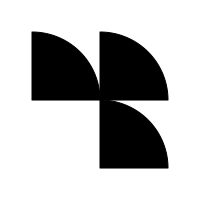 |

- Deterministic: same hash always produces the same icon
- Three minimal styles (
quad,orbit,mosaic) plus the originalclassicgenerator - Generate from raw text (
generateIconFromText) — no hashing required on your side - Light and dark palette variants that pair with your site's theme
- Per-icon 3-color palette (tile, ink, accent) derived from the hash — solid fills, no opacity mush
hue/hueRangelock so a whole icon set harmonizes with your site palette- Rounded-tile, circle, or transparent backgrounds; full-bleed padding for avatars
- Dual ESM/CJS build, pure TypeScript with no dependencies, clean SVG output

npm install geometriconOr from a checkout: npm install && npm run build.


# Default: quad style, light variant, rounded tile
geometricon abc123def456 -o icon.svg

# Generate straight from text — hashed internally
geometricon --text "cj@gdws.co" -o avatar.svg

# Pick a style
geometricon abc123 --style orbit -o orbit.svg
geometricon abc123 --style mosaic -o mosaic.svg

# Dark variant for dark UIs
geometricon abc123 --variant dark -o dark.svg

# Circle tile or no tile
geometricon abc123 --tile circle -o round.svg
geometricon abc123 --tile none -o bare.svg

# Bring your own palette: background, ink, accent
geometricon abc123 --color-palette "#F6F1EB,#2D2A26,#E2725B" -o branded.svg

# Lock the hue to your site palette (whole set stays harmonious)
geometricon abc123 --hue 220 -o brand-blue.svg
geometricon abc123 --hue-range 200,260 -o blue-family.svg

# Full-bleed avatar (no inner padding)
geometricon --text "alice" --padding 0 --tile circle -o alice.svg

# Original multi-shape generator
geometricon abc123 --style classic --composition radial --color-scheme ocean -o classic.svg
Run geometricon --help for full documentation.

// ESM
import { generateIcon, generateIconFromText } from 'geometricon';
// CJS
const { generateIcon, generateIconFromText } = require('geometricon');

// The easy path: any string, hashed internally
const svg = generateIconFromText('user@example.com');

// Or bring your own hash (MD5, SHA-256, any hex string)
const svg2 = generateIcon(hash, {
  style: 'orbit',        // 'quad' | 'orbit' | 'mosaic' | 'classic'
  variant: 'dark',       // 'light' | 'dark'
  tile: 'circle',        // 'rounded' | 'circle' | 'none'
  size: 96
});

// Harmonize a whole set with your site palette
const svg3 = generateIconFromText('alice', { hueRange: [200, 260] });

// Full-bleed avatar, fixed brand palette [background, ink, accent]
const svg4 = generateIconFromText('bob', {
  padding: 0,
  colorPalette: ['#F6F1EB', '#2D2A26', '#E2725B']
});
Inline the returned SVG string directly into your HTML — ids are namespaced per hash and option set, so many icons can share a page.

Generates an SVG icon from a hash string.
Options (minimal styles):
| Option | Type | Default | Description |
|---|---|---|---|
style |
string | 'quad' |
'quad', 'orbit', 'mosaic', or 'classic' |
variant |
string | 'light' |
'light' or 'dark' palette |
tile |
string | 'rounded' |
Tile behind the mark: 'rounded', 'circle', 'none' |
size |
number | 200 | Rendered width/height in pixels |
hue |
number | — | Lock the palette's base hue (0-360) |
hueRange |
[number, number] | — | Map the hash into a hue range; max may exceed 360 to wrap (e.g. [320, 400]). The accent may sit outside the range by design — it contrasts against the locked base |
padding |
number | 16 | Inner padding of the mark inside the tile for quad/mosaic (0-30); 0 = full-bleed, good for avatars |
colorPalette |
string[] | — | Fixed 3-color palette [background, ink, accent]; overrides hash-derived colors |
backgroundColor |
string | null | — | Override tile color; null renders no tile |
Returns: SVG string
Same as generateIcon, but takes any raw string (a name, email, user id) and hashes it internally with FNV-1a. Also exported: textToHash(text) if you want the hex string itself.
Generates the classic style's data structure without rendering to SVG. Returns { backgroundColor, shapes, size }.

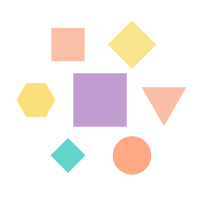
style: 'classic' preserves the original multi-shape generator with its full option set:
| Option | Type | Default | Description |
|---|---|---|---|
shapeCount |
number | 7 | Fixed number of shapes (also shapeCountMin/shapeCountMax) |
allowedShapes |
string[] | all | 'circle', 'square', 'triangle', 'hexagon', 'diamond' |
composition |
string | 'centered' |
'centered', 'radial', 'split', 'frame', 'random' |
color |
string | — | Single fixed color for all shapes |
colorScheme |
string | — | 'pastel', 'vibrant', 'warm', 'cool', 'monochrome', 'earth', 'ocean', 'sunset' |
saturationMin/Max |
number | 40 / 65 | HSL saturation range for generated colors |
lightnessMin/Max |
number | 70 / 88 | HSL lightness range |
opacityMin/Max |
number | 0.75 / 0.95 | Shape opacity range |
useGradients |
boolean | false | Linear/radial gradients instead of solid fills |

- Takes any hash string (MD5, SHA256, or any hex string) and reads bytes from it deterministically
- Derives a base hue, then builds a 3-color palette: a tinted tile, a deep ink of the same hue, and an accent at a harmonious hue shift (complementary, analogous, or monochrome)
- Picks a composition from a curated set — motif orientation, color pattern, and one "twist" cell in
quad; disc + accent element inorbit; mirrored cell grid inmosaic - Renders solid-fill glyphs snapped to the grid, clipped to the tile shape
Variation comes from arrangement, not randomness: every icon uses the same grid, glyph vocabulary, and palette logic, so any set of icons reads as one family.
npm run build   # dual ESM/CJS build into dist/
npm test        # node:test suite, including golden-file snapshots
Determinism is the core promise: golden fixtures in test/fixtures/ pin the exact SVG output for a set of inputs. If a change intentionally alters output, regenerate them with node scripts/generate-fixtures.js — and know that every existing user's icons change with it.