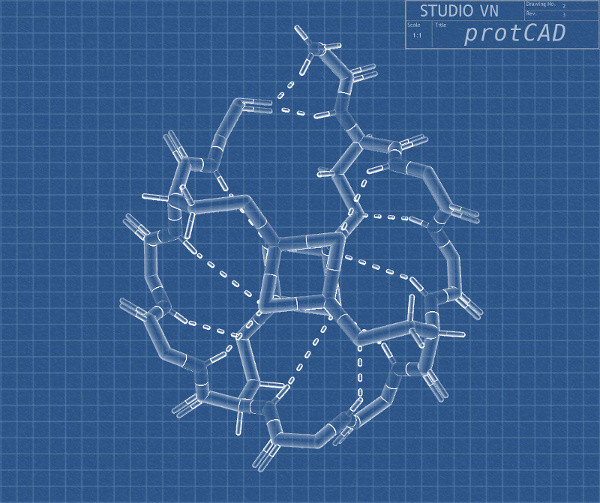
protCAD is an implementation of the protein design software library that originated in the Bill Degrado Protein Design Lab.
It is currently maintained by The Vikas Nanda Lab: https://sites.google.com/site/viknanda The source is maintained at: https://github.com/protCAD/protcad
Publications to date on protCAD's methods and implementaions are:
-Computational Methods and their Applications for de novo Functional Protein Design and Memebrane Protein Solubilization, Summa CM Thesis 2002
-Empirical estimation of local dielectric constants: Toward atomistic design of collagen mimetic peptides, Biopolymers - Peptide Science. Pike & Nanda 2015; 104(4): 360-70.
-Computational design of a sensitive, selective phase-changing sensor protein for the VX nerve agent. Science Advances McCann & Pike et al. 6 Jul 2022 Vol 8, Issue 27
=== Install dependencies
--Windows 10
First you will need to follow instructions to install the windows ubuntu sub-system as there is no native support for windows libraries: https://docs.microsoft.com/en-us/windows/wsl/install-win10 Then follow the Ubuntu Linux install dependency instructions and install below in the sub-system terminal.
--Ubuntu Linux:
In terminal:
sudo apt install g++ git cmake
CUDA is required -- the energy model is implemented entirely in CUDA kernels and there is no CPU fallback, so nvcc and an NVIDIA GPU are mandatory:
sudo apt install nvidia-cuda-toolkit
--Mac:
In terminal install dev tools, homebrew and then dependencies:
xcode-select --install
/bin/bash -c "$(curl -fsSL https://raw.githubusercontent.com/Homebrew/install/HEAD/install.sh)"
brew install gcc git cmake
=== Install
For all systems download source and compile via these terminal commands:
git clone https://github.com/protCAD/protcad
cd protcad
cmake -S . -B build -DCMAKE_BUILD_TYPE=Release
cmake --build build -j
The build requires nvcc and will fail to configure without it. Binaries are written to protcad/bin. Add that directory to your PATH, then close and re-open the terminal:
echo "export PROTCADDIR=$PWD" >> ~/.bashrc
echo "export PATH=$PATH:$PWD/bin" >> ~/.bashrc
Every source file in protcad/projects is compiled to a program of the same name in protcad/bin, and once that directory is on your PATH they are available to run from anywhere.
An overview of the general use programs are described below:
--protAlign
Description: Calculates best fit and RMSD of two pdbs using SVD and aligns the second or smaller pdb onto the first.
Input command: protAlign <inFile1.pdb> <inFile2.pdb> Output result: RMSD, aligned pdbs
--protDielectric
Description: Calculates the local average dielectric and solvation energy for each residue.
Input command: protDielectric <inFile.pdb> Output result: List of local dielectrics and solvation energy for each residue
--protDihedrals
Description: Calculates backbone phi psi and backbone classification type for each residue. Backbone Classification Type: -γ -π -α -ρ -β β ρ α π γ -γi -πi -αi -ρi -βi βi ρi αi πi γi
Input command: protDihedrals <inFile.pdb> Output result: List of phi psi and classification type for each residue
--protEnergy
Description: Calculates the total energy of the protein in kcal/mol.
Input command: protEnergy <inFile.pdb> Output result: Total Energy of the protein, total clashes and total backbone-backbone clashes
--protEvolver
Description: Sequence Selective Machine Learning Evolution Based Algorithm in Implicit Solvent
Input command: protEvolver
Input file format: Input PDB File,xyz.pdb, Active Chains,0,1,2, Active Positions,0,1,2,3,5,6,7,9,10, Random Positions,0,2,5,6,10, Frozen Positions,4,8, Amino Acids,A,R,N,D,C,Q,E,H,I,L,K,M,F,P,S,T,W,Y,V,G, Backbone Relaxation,false,
Output result: Evolved model pdbs, sequences and energies written to results.out file
--protFolder (in development, nearly complete)
Description: Fold Selective Machine Learning Evolution Based Algorithm in Implicit Solvent
Input command: protFolder
Input file format: Input PDB File,xyz.pdb, Active Chains,0,1,2, Active Positions,0,1,2,3,5,6,7,9,10, Random Positions,0,2,5,6,10, Backbone Types,m,c,l, p, b,t,y,a,i,g,n,d,q,r,f,h,w,k,s,v,
Backbone Classification Type: -γ -π -α -ρ -β β ρ α π γ -γi -πi -αi -ρi -βi βi ρi αi πi γi Backbone Classification Key: m c l p b t y a i g n d q r f h w k s v
Output result: Folded model pdbs, backbone type sequences and energies written to results.out file
--protInverter
Description: Generates mirror image of input pdb conformation
Input command: protInverter <inFile.pdb> <outFile.pdb> Output result: Output pdb where pdb is mirror image of input pdb including sidechain chirality
--protMin
Description: Minimizes the energy of the structure with sidechain and local backbone motion
Input command: protMin <inFile.pdb> <outFile.pdb> Output result: Outputs energy minimized pdb and returns start and end energy
--protMover
Description: Moves a protein structure in XYZ space via rotation and translation.
Input command: protMover <in.pdb> <out.pdb> Output result: Output pdb rotated in degrees and translated in Angstroms
--protMutator
Description: Mutates new sequence on input protein structure, minimizes and returns model
Input command: protMutator
Input file format: Input PDB File,xyz.pdb, Active Chains,0,1,2, Active Positions,0,1,2,3,5,6,7,9,10, A,K,D,L,K,D,R,R,R,
Output result: Minimized mutated model pdb of amino acid muations at positions in in input file
--protOligamer
Description: Creates symmetric oligamers of input pdb with same coordinates for each chain.
Input command: protOligamer <inFile.pdb> Output result: pdbs of symmetric oligamers (sampling parameters will need to be manually adjusted)
--protSequence
Description: Reports amino acid sequence and backbone type sequence for a protein structure.
Input command: protSequence <inFile.pdb> Output result: Returns amino acid sequence and backbone type sequence in fasta format
Backbone Classification Type: -γ -π -α -ρ -β β ρ α π γ -γi -πi -αi -ρi -βi βi ρi αi πi γi Backbone Classification Key: m c l p b t y a i g n d q r f h w k s v
New programs are added by dropping a source file into the projects directory. The build discovers it, so nothing needs editing; re-run 'cmake --build build' and a binary of the same name appears in bin. The same applies to the tests directory.
Tests are run with 'ctest --test-dir build'. Note that the diagnostic binaries which have no pass/fail contract, such as energyBench and fusionTest, are built but deliberately not registered with ctest.
The programs already in protcad/projects are the best reference for usage. An archive of
one-off scratch programs written against much older versions of protcad was removed in the
cleanup; recover it from git history at tag archive/src-tests if something in there is needed.
New programs written are intended to follow the same directory structure and compilation as in projects. Developers work in their own trees, then submit pull requests when they think their feature or bug fix is ready.
The master branch is regularly built and tested. Tags are regularly created to indicate new official, stable release versions of protCAD.
The dev branch is a more frequently updated branch with a more experimental version being developed but generally ready for usage. To switch to the dev branch in the protad directory use the command:
git checkout dev cmake --build build -j
Bugs and issues can be submitted into the issues section of http://www.github.com/protcad/protcad repo or a description of the issue and result can be emailed to Douglas Pike at doughp11@gmail.com