
meili is the command line tool for Meilisearch. It works with any instance, local or remote, and with Meilisearch Cloud through its Management API.
With npm, where Node 22 or newer is installed:
npm install -g @meilisearch/cliWith Homebrew:
brew install meilisearch/tap/meiliFrom the GitHub release assets, on macOS and Linux:
curl -fsSL https://raw.githubusercontent.com/meilisearch/cli/main/scripts/install.sh | sh- The script installs the CLI with its own Node in
~/.local/share/meili. - It links
meiliin~/.local/bin, or in the folder ofMEILI_CLI_INSTALL_DIR. MEILI_CLI_VERSION=0.1.0installs this version instead of the latest one.- Run the script again to update.
1. Log in to Meilisearch Cloud, once, in a browser:
meili auth login2. Add your projects to the config file:
meili config sync-with-cloud --all   # every Cloud project you can see, with its URL and, when you own its team, its master key
meili config set --project local --project-url http://localhost:7700 --project-api-key <your-key>   # an instance that is not on Meilisearch Cloud
meili config list                    # the projects of the file, keys masked
The config file is ~/.config/meili/config.json by default. MEILI_CONFIG sets another file.
--team-ids, --project-name and --project-url limit the projects that sync-with-cloud adds. A key already in the file is never replaced. To give a project a key you got elsewhere, run meili config update --project <name> --project-api-key -.
3. Run commands, naming the project with --project:
meili index list --project prod
meili search --project prod --index movies --q "star wars"
meili document add --project local --index movies --file movies.json --wait
meili project update --project prod --name renamed   # a management command, on the Cloud project of the entry
meili project add --name demo --team-id 12 --resource-id 3 --sync-config   # creates a Cloud project and adds it to the file
--project is required on every command. Without a config file, give the instance directly: --project-url <url> --project-api-key <key>.
In a terminal, meili prints text for a human. Piped, or with --json, it prints compact JSON. An agent that runs in a terminal sets MEILI_JSON=1.
Meilisearch Cloud upgrades and monitors your project for you, shows how it is searched, and is free for 14 days.
meili teleport moves the data of a self-hosted Meilisearch, local or in production, to a new Meilisearch Cloud project. It asks its questions in the terminal:
meili teleport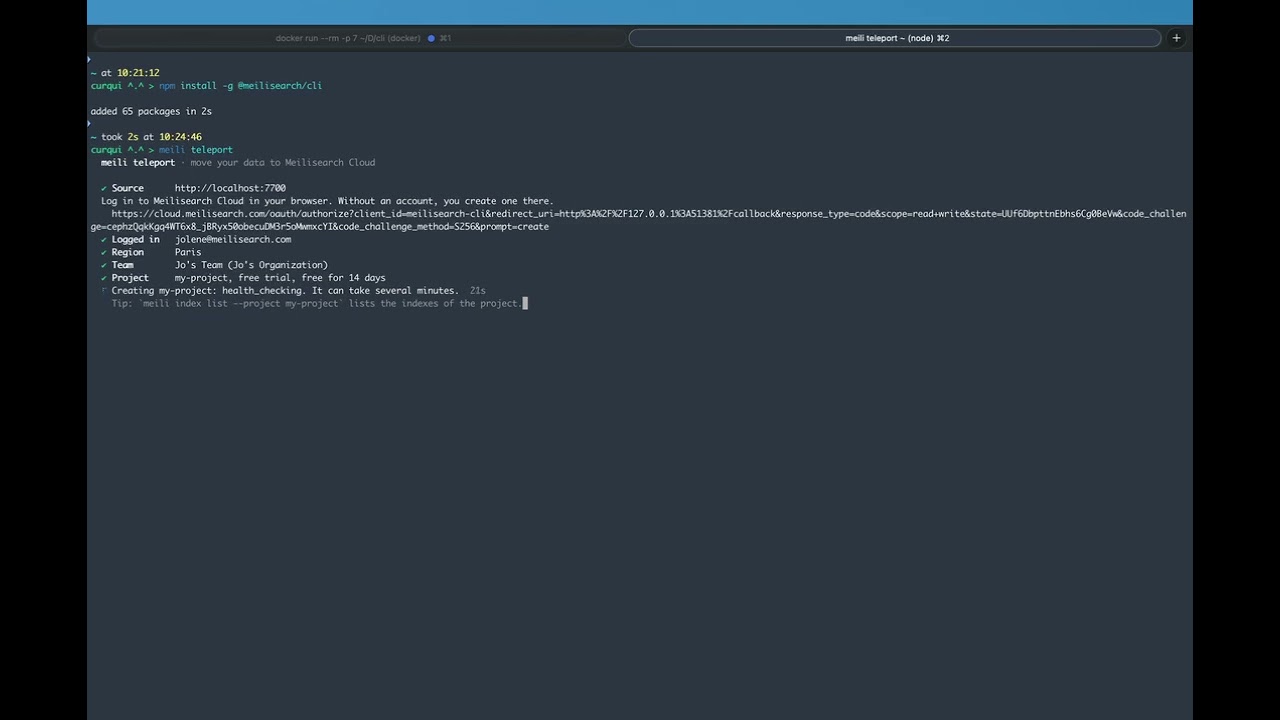
It asks for the project to move, from the config file or by its URL and key. It checks that the key can export, logs you in to Meilisearch Cloud (and creates your account), creates the project on the free trial or on the plan you choose, adds it to the config file, and sends the data to it.
meili teleport is interactive. The same steps without questions:
meili auth login   # a human logs in once, in a browser
meili project add --name cloud --team-id <id> --resource-id <id> --sync-config --wait
meili export --project local --project-destination cloud --wait
meili task list --project cloud --statuses enqueued,processing   # run it again until it lists no task
The team id and the resource id can be fetched with meili team list and meili resource list.
meili --help             # every command, global flag and environment variable
meili index list --help  # one command: flags, examples
meili schema             # the command tree as JSON, one entry per command with its routes
meili schema --command "index list" # one command in full, as JSONmeili sends anonymous usage data to Meilisearch: the commands you run, the names of their flags, their errors, the command meili suggests when you type one that does not exist, the commands whose help you read, and in meili teleport the options you choose. It never sends the values of the flags, your data or your keys. After meili auth login, the events are linked to your Meilisearch Cloud account. To turn it off, set MEILI_NO_ANALYTICS=true. DO_NOT_TRACK=1 works too, and nothing is sent in CI. The details are in docs/contract/config.md.
To contribute, read CONTRIBUTING.md. MIT.