


The Main part of a software project is not code but knowledge generated during the project. I guess knowledge is the main part of every business today and it is very important to move the generated knowledge from non-formal level to formal level to avoid its loss. There are many approaches to save knowledge and a mind map diagram is one of them. Also it is very important to keep the "distance" between project and its knowledge as short as possible and the ideal variant is to keep knowledge just within the project as a document set. If you use any external knowledge engineering tool then the distance already is not so short and for the cause I had decided to develop some plugin which would allow to form mind maps and keep knowledge graph just within projects and allow to work with the graphs just with the IDE.
Initially I developed a plugin for NetBeans IDE then the IntellijIDEA plugin was developed. I have a friend who is not from Java world but he also wanted to use the too so that Scia Reto editor was written.

1.8.0 (SNAPSHOT)
- ALL: minimum Java version lifted from 8 to 11
- IJ: minimum IntelliJ IDEA version lifted to 2024.2; uses current platform APIs; IDE browser opens URI pages
- WEB: embeddable JavaScript viewer for MMD files (pan, zoom, notes, icons; packed
mmd-viewer.min.js) - IJ: File | New lists SciaReto Mind Map once, after Directory
- ALL: newly opened mind maps show the root topic centered without a visible jump
- IJ: Structure tool window shows the open mind map as a topic tree
- ALL: printing keeps printer resolution; multi-page and preview keep topics on the page
- ALL: mind map panel painting follows Swing paint rules (title editor, print worker)
- SR: convert CLI, Open With, folder links, and project-load cancel behave reliably
- NB: mind map files open in the editor again after deactivate/activate #124
- NB: file refactoring updates links; Options, Quick Search, and empty-map save fixes
- SR: updated embedded JDK to 27+36
- ALL: agent skills to work with MMD maps and generate them from Java (
skills/)
1.7.0 (06-sep-2026)
- ALL: fixed lost focus during fast sibling topic create by Enter
- IJ: removed use of internal IDEA API
- SR: added 'Quick note' panel #128
- SR: minimum Java version for SciaReto lifted up to Java 21
- SR: updated embedded JDK to 26.0.2+13
- SR: PlantUML updated to 1.2026.8
- SR: keep FlatLaf container borders but stop focus-accent color changes on large editor and explorer panes
- SR: fixed application exit so File | Exit and Quit always flush editor backups, await the backup worker, and do not leave a process without a window
- SR: fixed platform start scripts so install-dir launch, JAVA_HOME, and file arguments work reliably on Windows, Linux, macOS, and AppImage
1.6.9 (19-okt-2025)
- ALL: improvements in processing of key type in topic title editor
- SR: updated embedded JDK to 25+37
- SR: PlantUML updated to 1.2025.9
- ALL: updated dependencies
All Java parts of the application need Java 11+ to work.
The editor has three Java implementations
- standalone editor (including also PlantUML support) Scia Reto
- NetBeans plug-in
- Intellij IDEA plug-in
The standalone version is a Java application but it contains embedded JRE so that a user should not have pre-installed Java on computer. But Graphviz may be required for some PlantUML diagrams.
A browser viewer lives in mind-map/js-viewer: attach mmd-viewer.js to a web page to pan, zoom, and read notes in an MMD map. Open mind-map/js-viewer/index.html over HTTP to try it.
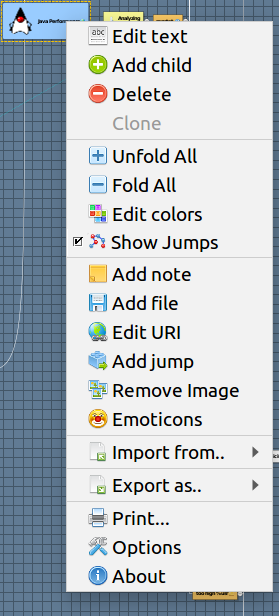
Just after first release for NetBeans IDE, Geertjan Wielenga created nice screen-cast which a bit out of date but still look good to understand common idea. It is very easy editor and the main set of operations look very intuitive, main questions from users I had about keyboard shortcuts but if keep in mind that TAB creates new mind map node and ENTER creates new sibling mode then life becomes much easier. It is a pop-up menu centric software so that all operations accessible through pop-up menu.
The Plugin keeps all mind map information in single UTF8 encoded plain text file formed in markdown compatible format, so the file can be easily read and interpret and without the plug-in.
Mind Map generated by NB MindMap plugin
> __version__=`1.1`
---

# Root <br/>topic
> topicLinkUID=`14F9D4CD31DA`


## First level
- LINK
<pre>http://www.google.com</pre>

### Item 1\.1
- NOTE
<pre>Some note for item 1.1</pre>

### Item 1\.2
- TOPIC
<pre>14F9D4CD31DA</pre>
The format is specified in skills/mmd/MMD_Format.MD. Agent skills to read, edit, and validate .mmd files, or generate maps from Java annotations, live in skills/ — copy a skill folder into your agent (Cursor: .cursor/skills/ in a project, or ~/.cursor/skills/ for personal use). After copy, Cursor slash commands such as /mmd:edit and /mmd-annotations:mark are available; see skills/README.md. The format spec is part of the mmd skill and is included when that folder is copied.
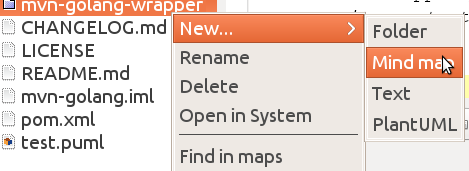
In project tree just click mouse to activate pop-up menu for a folder and select in menu New->Mind map.
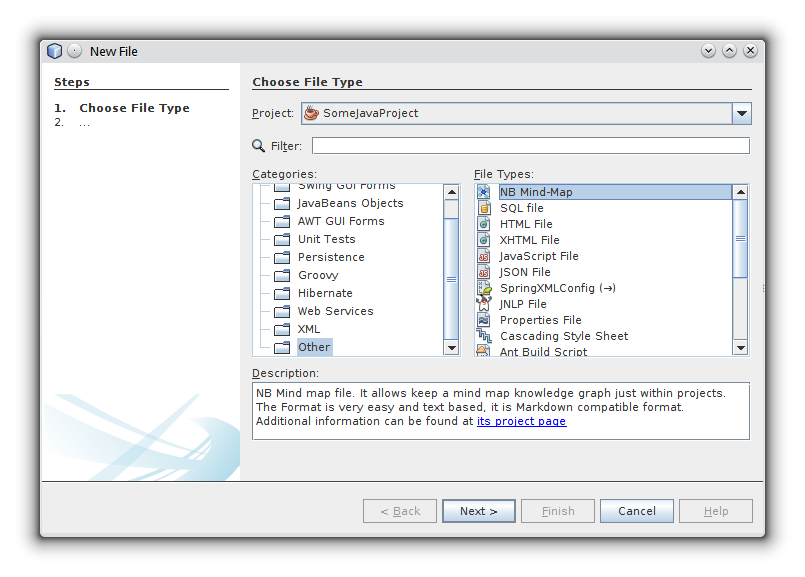
Mind map type is added as one more file type and can be found among file types in the Other.
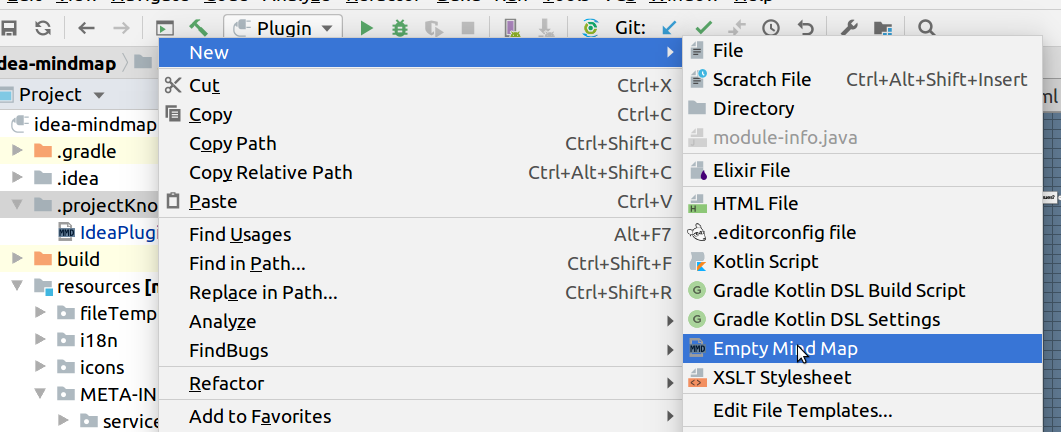
Mind map type is registered as a file type which can be created through New pop-up menu for a folder.
Mind maps are opened in IDE as documents with graphic interface and the plugin doesn't add any new actions into IDE menu so all operations over mind maps you can make through the document pop-up menu. The Pop-up menu is formed for the current document state and context.
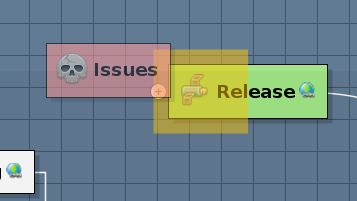
All manipulations over topic order and its position in the map hierarchy can be made only through mouse Drag&Drop operations (keep in mind that only one topic can be moved in the same time).
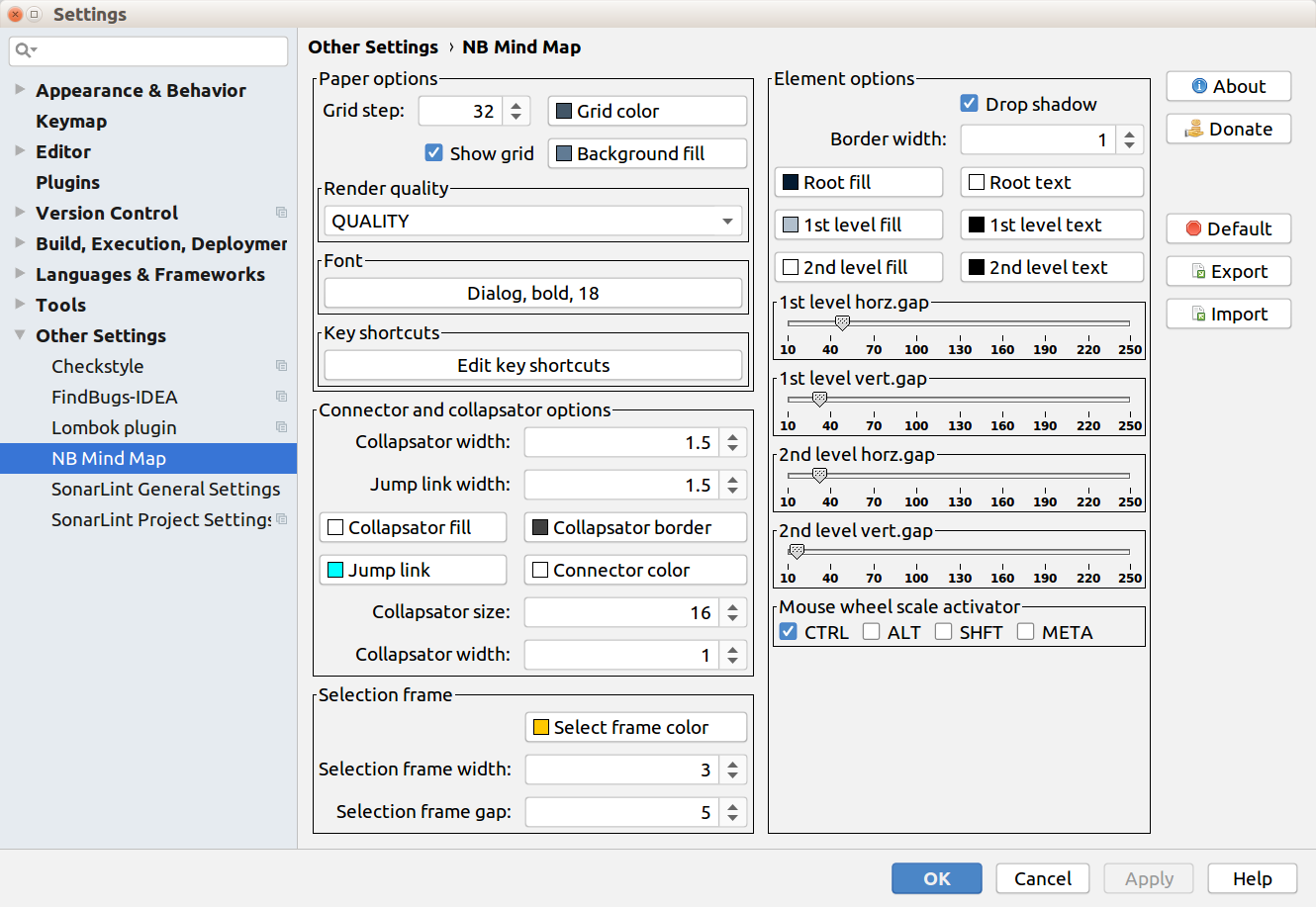
You can tune most of graphic parameters for mind map rendering through special panel Options. It can be activated through Options item of pop-up menu and through menu Edit->Preferences in the standalone version.
Today it is very important to have way to export data to another formats to use the knowledge in another tools. The Plug-in supports several formats to export data:
- Plain text format
- Markdown format
- Freemind format
- Mindmup format
- PNG image
- SVG image
- ORG format
At present the editor allows to import main maps from many well-known mind map formats
- Mindmup format
- Freemind format
- XMind format
- Coggle format
- Novamind format also it can import mind map from tabbed text files.
Mainly you can keep short texts in your mind maps as topic names but sometime it is useful to keep and another information, the plugin allows to keep below listed information assets:
- Short text - short text in one or two lines as topic name, mainly used as id for the topic.
- Long text - long text information which can be opened and edited in special editor.
- URL link - just URL link to be opened in system browser
- File link - link to a file, youc can add them through special dialog or just drag and drop file from NetBeans project tree to a topic, the file will be opened within IDE as a document
- Transition - link to another topic in the same mind map, it allows to make some navigation in very big mind maps
You can add and edit new topic content through the mind map pop-up menu and if you want remove some content then just open editor for the content and remove all text information.