

English | 简体中文
Realtime media infrastructure for AI-powered applications.
StreamCore handles the latency-sensitive media path between users, devices, communication networks, and AI services.
It provides WebRTC audio transport, session management, streaming speech integration, interruption handling, realtime events, and client SDKs — while your application stays in control of the agent, the models, the tools, and the business logic.
StreamCore is the realtime media layer between your users and your intelligence.
Bring your own agent. StreamCore handles the realtime media.
Use StreamCore to build:
- voice agents
- realtime copilots
- live translation
- AI-hosted audio experiences
- embedded voice devices
- phone and communication applications
- custom realtime AI products
This repository is the Go media runtime — the core server component of the StreamCore project family.
Building an agent demo is easy. Building reliable realtime media infrastructure around it is not.
Once a prototype has to become a product, the hard parts are not prompts:
| Problem | What StreamCore does today |
|---|---|
| WebRTC connectivity | Pion-based peer, full ICE gathering, WHIP signaling over a single HTTP POST |
| NAT traversal | Built-in STUN/TURN server — no external coturn container |
| Audio transport | Opus over RTP in both directions, decode/encode handled for you |
| Turn-taking | Adaptive VAD that tracks each call's noise floor, plus a debounce that merges a caller's mid-sentence pauses into one turn |
| Interruption | Barge-in on a faster VAD profile: agent audio ducks first, backchannels ("mm-hm", "yeah okay") are filtered out, and a confirmed interrupt cancels in-flight LLM and TTS |
| Streaming provider integration | Streaming STT, streaming LLM, and chunk-streaming TTS so audio starts before synthesis finishes — wired end to end |
| Session state | Server-generated session IDs, multi-peer sessions, lifecycle and teardown |
| Realtime events | DataChannel events for transcript, response, agent state, and latency timings |
| Client integration | SDKs for TypeScript, React Native, Python, Go, and Rust |
| Telephony | SIP bridge component that transcodes PCMU ↔ Opus and connects over WHIP |
| Auth | Optional JWT auth on /whip with a short-lived token endpoint |
| Latency visibility | DataChannel timing events, plus a per-turn latency breakdown (endpointing, merge, embedding, vector search, LLM, TTS) in the logs |
Anything not in that table — horizontal scaling, session reconnection, a metrics endpoint — is in Roadmap, not in the product yet.
┌───────────────────────────────────────────────┐
│              Applications                     │
│ Voice agents · Copilots · Translation · Rooms │
└───────────────────────┬───────────────────────┘
                        │ SDKs and realtime events
┌───────────────────────▼───────────────────────┐
│           StreamCore Media Runtime            │
│                                               │
│ WebRTC · RTP · Opus · Sessions · Interruption │
│ VAD · Streaming audio · Network traversal     │
└───────────────┬───────────────────┬───────────┘
                │                   │
       ┌────────▼────────┐  ┌───────▼──────────┐
       │ AI and speech   │  │ Application and  │
       │ services        │  │ agent backends   │
       │ STT · TTS · LLM │  │ Tools · APIs     │
       └─────────────────┘  └──────────────────┘
StreamCore can run a complete speech-to-agent-to-speech pipeline, but that is only one way to use it.
Most agent frameworks start with prompts, tools, and model orchestration. StreamCore starts one layer lower: the realtime media path — transport, codecs, speech streaming, turn-taking, interruption, network traversal, session state, and communication with AI services.
Your agent does not have to live inside StreamCore. There are four supported ways to own the intelligence:
1. Keep your agent behind a tool call. Plugins (Python, TypeScript, JavaScript over JSON-RPC) and native Go tools let the conversation call into your existing backend — your APIs, your orchestration, your data. StreamCore streams the result back as speech.
2. Point the model layer at your own infrastructure. llm.provider = "ollama" with a custom base_url targets any Ollama-compatible endpoint you run, including one that fronts your own routing or model stack.
3. Implement the LLM interface directly. The model layer is a small Go interface in internal/llm/llm.go:
type Client interface {
    Chat(ctx context.Context, userText string, onChunk func(string), onSentence func(string)) (string, error)
    // OneShot is a single non-streaming call, independent of conversation
    // state. Used for background work such as the rolling summary.
    OneShot(ctx context.Context, system, user string) (string, error)
    SetTools(tools []ToolDefinition)
    SetToolHandler(handler func(ctx context.Context, call ToolCall) (string, error))
    AppendSystemPrompt(text string)
    Reset()
}
Implement it against your agent server, register it in NewClient, and the entire media path — transport, VAD, barge-in, TTS chunking, events — works unchanged.
4. Use StreamCore's optional built-in agent runtime. LLM orchestration, tools, skills, RAG, and conversation history ship in the box if you want them. See Optional agent runtime.
A generic HTTP / OpenAI-compatible agent endpoint that requires no Go code is on the roadmap; today option 3 is a small file, not a fork.
Transport and connectivity
- Bidirectional Opus audio over WebRTC (
sendrecv) - WHIP signaling (RFC 9725) — one HTTP
POSTfor SDP exchange, no persistent signaling socket - Full ICE gathering on both sides, no trickle ICE
- Built-in STUN/TURN server using Pion (UDP and TCP 3478, relay range 50001–60000) — TCP so callers behind UDP-blocking firewalls still connect
- Optional JWT auth on
/whip, withPOST /tokenissuing 1-hour tokens /healthendpoint and graceful shutdown with a forced-exit safety net
Media path
- Opus decode → PCM → pipeline → PCM → Opus encode → RTP
- Energy-based VAD with configurable onset/offset frame counts, adapting to each call's noise floor so a quiet caller on a clean line and a caller beside a road both register
- Barge-in on a faster VAD profile: agent audio ducks while the caller talks over it and recovers if the interruption turns out to be a backchannel
- Turn debounce that merges consecutive final transcripts, so "I want to… um… book a table" is answered once, not twice
- Sentence-boundary chunking so TTS starts before the LLM finishes, and chunk-level streaming so audio plays before a sentence is fully synthesized
- Optional per-utterance delivery tags — the model may prefix a sentence with
[warm],[empathetic],[calm], or[excited], which map to provider voice controls and are never spoken aloud - Thinking sound — an optional tone played through the RTP stream while a slow tool runs (500 ms grace period)
Sessions and events
- Server-generated session IDs, in-memory session manager
- Multiple peers per session, each with an inbound or outbound direction
- DataChannel
eventschannel fortranscript,response,state, andtiming - Per-turn latency breakdown logged when
pipeline.debug = true, separating endpointing, turn merge, embedding, vector search, LLM, and TTS - Inbound DataChannel messages routed into the pipeline (used today for camera image chunks)
Clients
- TypeScript (
@streamcore/js-sdk), Python (streamcore), Go (github.com/streamcoreai/go-sdk), Rust - React Native / Expo (
@streamcore/react-native-sdk) — built, not yet published to npm
| Endpoint type | Status | How |
|---|---|---|
| Browser | Available | TypeScript SDK over WHIP |
| Mobile | Available | React Native / Expo SDK (react-native-webrtc peer dependency) |
| Backend service / worker | Available | Go, Python, or Rust SDK |
| CLI and TUI | Available | Go and Rust examples |
| Telephony (SIP) | Available | sip-server bridges PCMU/RTP ↔ Opus/WHIP, inbound and outbound |
| Embedded device | Experimental | ESP32-S3 firmware in esp32 speaking WHIP directly |
| AI integration | Providers |
|---|---|
| Streaming STT | Deepgram, AssemblyAI, OpenAI, VibeVoice (local) |
| LLM | OpenAI, Ollama (local or self-hosted) |
| Streaming TTS | Cartesia, Deepgram, ElevenLabs, Speechify, VibeVoice (local) |
| Speech-to-speech | xAI Grok Voice (replaces STT + LLM + TTS in one model) |
| Retrieval | pgvector, Supabase |
| Custom tools | Python / TypeScript / JavaScript plugins, native Go tools |
Thank you! Interested in sponsoring? Reach out for logo placement on GitHub + demo page.
For Docker: Docker and Docker Compose.
For local development:
- Go 1.22+
- Node.js 20+ and npm
- Python 3.10+ for Python plugins or examples
- Rust 1.87+ for Rust SDKs or examples
cp config.toml.example config.toml
# Edit config.toml with your provider credentials

go run .
Or with Docker:
docker build -t streamcore-server .
docker run --rm -p 8080:8080 -v "$(pwd)/config.toml:/config.toml:ro" streamcore-server
The server listens on :8080. Clients connect to http://localhost:8080/whip.
git clone https://github.com/streamcoreai/examples.git
cd examples/typescript
npm install
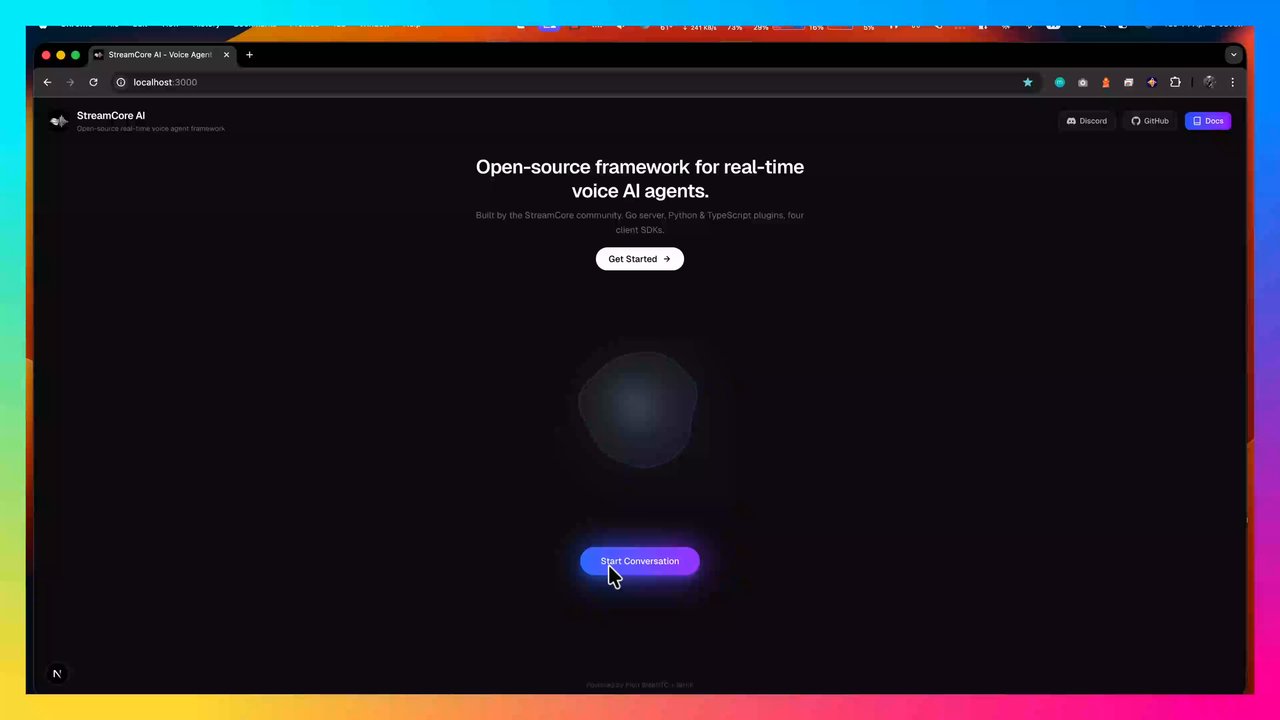
npm run dev
Open http://localhost:3000. It connects to http://localhost:8080/whip by default.
The point of StreamCore is that the intelligence is yours. The fastest path is a tool that calls your service — the agent keeps talking while your backend does the work.
mkdir -p plugins/plugins/orders-lookupplugins/plugins/orders-lookup/plugin.yaml
name: orders.lookup
description: Look up an order by ID in the company order system
version: 1
language: python
entrypoint: main.py
thinking_sound: true
parameters:
  type: object
  properties:
    order_id:
      type: string
      description: The customer's order ID
  required:
    - order_id
plugins/plugins/orders-lookup/main.py
import os, requests
from streamcoreai_plugin import StreamCoreAIPlugin

plugin = StreamCoreAIPlugin()

@plugin.on_execute
def handle(params):
    r = requests.get(
        f"{os.environ['BACKEND_URL']}/orders/{params['order_id']}",
        timeout=10,
    )
    r.raise_for_status()
    order = r.json()
    return f"Order {order['id']} is {order['status']}, arriving {order['eta']}."

plugin.run()
Restart the server. Your backend is now part of a realtime voice session, and StreamCore handled every millisecond of the media path around it.
To own the whole conversation rather than one tool call, implement the llm.Client interface described in More than an agent framework.
Run everything on your own hardware with Ollama for the LLM and VibeVoice for STT/TTS.
1. Install and start Ollama
brew install ollama            # macOS; see https://ollama.ai for Linux
ollama serve
ollama pull gpt-oss:20b
2. Start the VibeVoice sidecars
# Apple Silicon (MLX)
pip install mlx-audio numpy websockets fastapi uvicorn
# OR Linux / CUDA
# pip install torch transformers librosa numpy websockets fastapi uvicorn

python external/vibeVoice/vibeVoiceAsr/server.py   # ws://127.0.0.1:8200
python external/vibeVoice/vibeVoiceTTS/server.py   # http://127.0.0.1:8300
3. Configure and run
[stt]
provider = "vibevoice"

[llm]
provider = "ollama"

[tts]
provider = "vibevoice"

[ollama]
base_url = "http://localhost:11434"
model = "gpt-oss:20b"

[vibevoice]
asr_url = "ws://127.0.0.1:8200"
tts_url = "http://127.0.0.1:8300"
voice = "en-Emma_woman"
go run .Fully local realtime voice, no external API dependencies. Details in Local VibeVoice setup.
Everything below is opt-in. Skip this section entirely if your agent lives in your own stack.
When you do want StreamCore to run the conversation, it provides LLM orchestration with conversation history, tools, behavioral skills, and inline retrieval.
Two behaviours run automatically once the built-in runtime is in use:
- Rolling summary. Long calls outlive the model's history window. Older turns are summarized in the background and injected as context, so a fact from minute one survives into minute ten.
- Low-confidence handling. When the speech recogniser reports poor confidence, the agent is told to ask the caller to repeat rather than guess, escalating if it happens on consecutive turns.
Plugins give the agent capabilities. Skills shape its behavior.
- Plugins call APIs, databases, calendars, CRMs, workflows, and internal tools
- Skills define tone, personality, guardrails, brand voice, and workflow guidance
Plugins run as Python, TypeScript, or JavaScript processes over JSON-RPC. Skills are Markdown files injected into the system prompt. Sample plugins and skills live under plugins/. For zero-IPC extensions, register native Go tools with pluginMgr.RegisterNative(...).
Plugin manifest reference
| Field | Type | Required | Description |
|---|---|---|---|
name |
string | yes | Unique tool name the LLM calls (e.g. weather.get) |
description |
string | yes | What the tool does — shown to the LLM |
version |
int | yes | Manifest version |
language |
string | yes | python, typescript, or javascript |
entrypoint |
string | yes | File to run (e.g. main.py, index.ts) |
parameters |
object | yes | JSON Schema describing the tool's parameters |
confirmation_required |
bool | no | Agent asks the user to confirm before executing (default false) |
thinking_sound |
bool | no | Plays a soft looping tone while the tool runs, after a 500 ms grace period (default false) |
Included plugins
| Plugin | Language | Description |
|---|---|---|
math.calculate |
TypeScript | Evaluate math expressions |
weather.get |
TypeScript | Current weather for a location |
time.get |
Python | Current date/time in any timezone |
vision.analyze |
TypeScript | Analyze images from a device camera |
gmail |
TypeScript | Read and send emails via Gmail (OAuth2) — see Gmail plugin README |
Included skills
| Skill | Description |
|---|---|
tool-savvy |
Guides the agent to use tools instead of guessing |
friendly-conversationalist |
Warm, natural conversational personality |
polite-assistant |
Concise and polite voice interaction style |
concise-responder |
Keeps responses short for spoken delivery |
error-recovery |
Handles errors gracefully in voice conversations |
vision-assistant |
Enables camera-based image analysis |
gmail-assistant |
Walks through emails one-by-one with reply & confirm flow |
Plugin SDKs: @streamcore/plugin (TypeScript), streamcore-plugin (Python).
RAG runs inline in the media pipeline: the server embeds the user's turn, retrieves the top-k chunks from your vector store, and injects them before the LLM call — one LLM pass, no tool-call round trip.
Two things keep retrieval off the critical path. Turns with no content-bearing words ("okay, sure, thanks") are skipped, since there is nothing to anchor a vector search on. And with pipeline.rag_prefetch = true, retrieval starts speculatively during the turn-merge window, so the embedding and vector-search round trip overlaps a wait the pipeline was doing anyway instead of adding to it.
| Provider | Backend | Config section |
|---|---|---|
pgvector |
PostgreSQL with the pgvector extension | [pgvector] |
supabase |
Supabase (Postgres RPC over HTTP) | [supabase] |
Both use OpenAI embeddings (text-embedding-3-small by default), so [openai].api_key must be set. Omit the [rag] section to disable retrieval entirely.
pgvector setup
CREATE EXTENSION IF NOT EXISTS vector;

CREATE TABLE documents (
    id SERIAL PRIMARY KEY,
    content TEXT NOT NULL,
    embedding vector(1536),
    source TEXT
);[rag]
provider = "pgvector"
[pgvector]
connection_string = "postgres://user:pass@localhost:5432/mydb"Supabase setup
CREATE EXTENSION IF NOT EXISTS vector;

CREATE TABLE documents (
    id SERIAL PRIMARY KEY,
    content TEXT NOT NULL,
    embedding vector(1536),
    source TEXT,
    created_at TIMESTAMP DEFAULT NOW()
);

CREATE OR REPLACE FUNCTION match_documents(
    query_embedding vector(1536),
    match_count int DEFAULT 3
)
RETURNS TABLE (content text, similarity float)
LANGUAGE plpgsql AS $$
BEGIN
    RETURN QUERY
    SELECT d.content, 1 - (d.embedding <=> query_embedding) AS similarity
    FROM documents d
    ORDER BY d.embedding <=> query_embedding
    LIMIT match_count;
END;
$$;

ALTER TABLE documents ENABLE ROW LEVEL SECURITY;

CREATE POLICY "Allow read access to documents"
ON documents FOR SELECT TO authenticated, anon USING (true);

CREATE POLICY "Allow insert access to documents"
ON documents FOR INSERT TO authenticated, anon WITH CHECK (true);

CREATE POLICY "Allow update access to documents"
ON documents FOR UPDATE TO authenticated, anon USING (true);[rag]
provider = "supabase"
[supabase]
url = "https://xxx.supabase.co"
api_key = "your-service-role-key"
function = "match_documents"
table = "documents"Ingesting documents
The server handles query-time retrieval only. Populate your vector store with streamcore-cli:
git clone https://github.com/streamcoreai/streamcore-cli
cd streamcore-cli && go build -o streamcore-cli .

# Supports .txt, .md, .csv, .pdf, .docx, .xlsx
streamcore-cli ingest docs/faq.pdf product-catalog.xlsx notes.md
streamcore-cli ingest --provider supabase --config ../server/config.toml data.csv
streamcore-cli ingest --chunk-size 256 --chunk-overlap 32 manual.docx
The CLI reads your server's config.toml for provider credentials, so nothing is configured twice.
| Flag | Default | Description |
|---|---|---|
--config |
auto-detected | Path to server config.toml |
--provider |
from config | Override RAG provider (pgvector, supabase) |
--chunk-size |
512 | Target chunk size in words |
--chunk-overlap |
64 | Overlap between chunks in words |
| Role | Providers | Required credentials |
|---|---|---|
| STT | deepgram, assemblyai, openai, vibevoice |
Deepgram API key, AssemblyAI API key, OpenAI API key, or a local VibeVoice ASR server |
| LLM | openai, ollama |
OpenAI API key, or an Ollama instance you control |
| TTS | cartesia, deepgram, elevenlabs, speechify, vibevoice |
Matching provider API key, or a local VibeVoice TTS server |
| Speech-to-speech | grok |
xAI API key — replaces STT, LLM, and TTS together |
| RAG (optional) | pgvector, supabase |
Postgres connection string or Supabase URL + key, plus an OpenAI key for embeddings |
Notes:
stt.provider = "openai"uses Whisper-style final transcription instead of streaming partials.llm.provider = "ollama"targets any Ollama-compatible endpoint viabase_url— local or on your own infrastructure.stt.provider = "vibevoice"andtts.provider = "vibevoice"use local models; start the Python sidecars first.realtime.provider = "grok"switches to speech-to-speech and ignores[stt],[llm], and[tts]entirely.
Setting realtime.provider swaps the three-stage STT → LLM → TTS chain for a single model that takes caller audio and answers with audio. Transcription, reasoning, and synthesis happen in one hop, which removes the two handoffs that dominate turn latency in the classic pipeline.
[realtime]
provider = "grok"

[grok]
api_key = "xai-..."
model = "grok-voice-think-fast-2.0"   # or "grok-voice-latest"
voice = "eve"
reasoning_effort = "high"             # "none" trades nuance for latency
system_prompt = "You are a helpful assistant on a phone call. Keep it short."
The pipeline keeps the same Opus/RTP path at both ends and runs a single runRealtime loop between them, in place of runInbound + runAgent. Audio is negotiated as 16 kHz PCM over binary WebSocket frames — the pipeline's native rate, so nothing resamples and nothing is base64-encoded on the audio path.
model |
Notes | Cost |
|---|---|---|
grok-voice-think-fast-2.0 |
Newest and most capable. Reasoning on by default | $0.08 / min ($4.80 / hr) |
grok-voice-think-fast-1.0 |
Previous generation, cheaper | $0.05 / min ($3.00 / hr) |
grok-voice-latest |
Alias that always points at the newest model — currently grok-voice-think-fast-2.0 |
Tracks whichever model it resolves to |
Both models also bill $0.004 per text input. Pin a versioned name in production: grok-voice-latest re-points when xAI ships a new model, changing behaviour and price under a running deployment.
Two things to know when writing the prompt for these models:
- Keep
system_promptshort. These are strong enough that porting a long GPT-era prompt over verbatim makes them worse. xAI's own advice is to strip out workaround prompting and edge-case patches written for weaker models. - Reasoning is on by default.
reasoning_effort = "high"helps with multi-step instructions, nuanced tone, and ambiguous questions. Set"none"for lower latency when the agent's job is simple.
The model has no idea what product it is deployed in — if you want it to identify itself ("you are the StreamCore assistant"), that belongs in system_prompt.
voice takes a lowercase built-in voice ID (default eve) or a custom voice ID cloned via xAI's Custom Voices API. Fetch the current roster with GET /v1/tts/voices. The same voices serve the TTS API, so anything in xAI's TTS voice table works here.
| Capability | Behaviour |
|---|---|
| Turn detection and barge-in | Owned entirely by the model's server-side VAD. See below |
| Plugins, skills, vision, car control | Registered as function tools; the same handlers run in both modes |
| RAG | Exposed as a knowledge_search tool the model calls on demand, rather than being injected into every prompt |
| Hosted search | web_search and x_search run on xAI's side with no local plugin |
| Rolling summary, misunderstanding detection | Not used — these operate on STT transcripts the model never emits |
Delivery tags ([warm], [calm]) |
Not used — the model controls its own prosody |
Plugin thinking_sound |
Not played — it would interleave with model audio still draining from the outbound queue. Logged once per call |
The model detects interruptions, not the server. Grok's VAD decides the caller has cut in, stops generating, and sends input_audio_buffer.speech_started; the server's only job is to discard audio it has already buffered locally, since the model cannot un-send frames that are already queued here.
This means [pipeline] barge_in has no effect in realtime mode. It is read only by runInbound, which does not run. So do the local energy VAD, the backchannel suppression window, readback_bargein_guard_enabled, and audio ducking — barge-in is a hard cut here rather than a duck-and-recover. Leave barge_in = true anyway so the setting is correct if you switch back to the classic pipeline.
Tuning moves to [grok]:
| Setting | Use it when |
|---|---|
vad_threshold (0.1–0.9, default 0.85) |
Noise, coughs, or "mm-hm" cut the agent off. Raise it. This is the closest replacement for the backchannel suppression that classic mode does in software |
silence_duration_ms |
Callers get cut off mid-sentence. Raise it to allow longer pauses |
prefix_padding_ms (default 333) |
The first word of a turn gets clipped. Raise it |
idle_timeout_ms |
You want the agent to re-engage after silence. Unset disables the check-in |
There is no way to keep automatic turn-taking while disabling interruption: turn_detection is either server_vad or null, and null means the server must decide when every turn ends and explicitly request each response. Tune the thresholds instead.
transcription = true runs a separate transcription pass purely so clients receive transcript events for display — the model itself hears the audio directly and does not need it. Turn it off to skip the cost if your client shows no transcript.
These transcripts are cumulative and arrive in fragments: an update may revise words it already emitted, and a caller who pauses mid-sentence produces several finalised fragments for one question. The server merges them into a single turn and commits it when the model starts responding, so one spoken turn renders as one message. Set [pipeline] debug = true to log every provider event with its transcript payload.
Billing is per minute of wall-clock audio rather than per token, which changes the economics against a self-assembled pipeline — idle time on an open call still bills, so idle_timeout_ms and prompt call teardown matter more here than in classic mode. See the model table above for rates.
VibeVoice provides fully local STT and TTS with no API keys, using VibeVoice-ASR for recognition and VibeVoice-Realtime-0.5B for synthesis via two lightweight Python sidecars. On Apple Silicon they use mlx-audio (MLX); on Linux/Windows they fall back to PyTorch automatically.
# Apple Silicon (MLX)
pip install mlx-audio numpy websockets fastapi uvicorn
# OR PyTorch (Linux / CUDA)
pip install torch transformers librosa numpy websockets fastapi uvicorn

python external/vibeVoice/vibeVoiceAsr/server.py   # ws://127.0.0.1:8200
python external/vibeVoice/vibeVoiceTTS/server.py # http://127.0.0.1:8300[stt]
provider = "vibevoice"
[tts]
provider = "vibevoice"
[vibevoice]
asr_url = "ws://127.0.0.1:8200"
tts_url = "http://127.0.0.1:8300"
voice = "en-Emma_woman"The ASR server accepts live PCM over WebSocket and emits JSON transcript events. The TTS server accepts HTTP POST and returns raw PCM.
Signaling follows RFC 9725.
| Step | Method | Path | Body | Response |
|---|---|---|---|---|
| 1 | POST |
/whip |
SDP offer (application/sdp) |
201 Created with SDP answer, Location: /whip/{sessionId}, and ETag |
| 2 | DELETE |
/whip/{sessionId} |
none | 200 OK |
| — | OPTIONS |
/whip or /whip/{sessionId} |
none | 204 No Content with Accept-Post: application/sdp |
POST /whip is rate limited per client IP (30 sessions per minute). Over the limit the server returns 429 Too Many Requests with a Retry-After header. Each POST builds a peer connection and gathers ICE, so the endpoint is throttled even when auth is disabled.
The client creates an SDP offer, gathers ICE candidates, and POSTs it to /whip. The server creates a peer, gathers its own candidates, and returns the answer with a server-generated session ID. No trickle ICE, no persistent signaling socket.
This implementation aligns with the core WHIP flow: POST with application/sdp, 201 Created with the answer, Location for the session URL, ETag for the ICE session, DELETE for teardown, OPTIONS with Accept-Post, and full ICE gathering on both sides. Audio is sendrecv, with a DataChannel for bidirectional events.
The client must create a DataChannel labeled events before generating the offer. The server sends:
| Type | Payload | Description |
|---|---|---|
transcript |
{ "type": "transcript", "text": string, "final": boolean } |
User transcript updates |
response |
{ "type": "response", "text": string } |
Streamed response text |
state |
{ "type": "state", "state": "listening" | "thinking" | "speaking" } |
Agent turn state, for UI indicators |
timing |
{ "type": "timing", "stage": string, "ms": number } |
Latency timings when pipeline.debug = true |
Timing stages today: llm_first_token, tts_first_byte.
Messages the client sends on the same channel are routed into the pipeline — currently used for camera image chunks consumed by the vision.analyze plugin.
Set server.jwt_secret to require Authorization: Bearer <jwt> on /whip. When it is set, the server also exposes POST /token, which issues an HS256 token valid for one hour. Set server.api_key to require Authorization: Bearer <api_key> on /token itself, so only your backend can mint session tokens. Both are empty by default, which disables auth.
Start from config.toml.example:
[server]
port = "8080"
# public_ip = ""       # Public IP for ICE candidates (e.g. EC2 Elastic IP); enables built-in STUN/TURN
# turn_secret = ""     # Shared secret for the built-in STUN/TURN server (required when public_ip is set)
# jwt_secret = ""      # Enables JWT auth on /whip and the POST /token endpoint
# api_key = ""         # Required to call POST /token when set

[plugins]
directory = "./plugins"

[pipeline]
barge_in = true
greeting = ""
greeting_outgoing = ""
debug = false
user_speech_quiet_ms = 600           # Quiet period after the caller stops before the agent speaks
turn_merge_ms = 350                  # Debounce window for merging finals into one turn
# rag_prefetch = false               # Start retrieval during the merge window instead of after it
# readback_bargein_guard_enabled = false  # Ignore weak barge-ins while the agent reads values back

# Speech-to-speech. When set, replaces [stt], [llm], and [tts] entirely.
[realtime]
provider = ""                        # "grok", or empty for the classic pipeline

[stt]
provider = "deepgram"

[llm]
provider = "openai"

[tts]
provider = "cartesia"

# [grok]                             # Used when realtime.provider = "grok"
# api_key = ""
# model = "grok-voice-latest"        # Pin a version in production, e.g. grok-voice-think-fast-2.0
# voice = "eve"
# reasoning_effort = "high"          # "none" trades nuance for latency
# system_prompt = ""                 # Keep short; long GPT-era prompts hurt these models
# silence_duration_ms = 500          # Silence before the caller's turn ends
# vad_threshold = 0.85               # 0.1-0.9; higher demands louder audio to trigger a turn
# transcription = true               # Client-facing transcript only; the model hears audio directly
# web_search = false                 # xAI-hosted search, no local plugin needed

[deepgram]
api_key = ""
model = "nova-3"
tts_model = "aura-2-thalia-en"       # Aura voice when tts.provider = "deepgram"; aura-2-theia-en is Australian feminine
# language = ""                      # BCP-47 tag (en-US, es-MX); non-en/es routes to the multilingual model
endpointing = "300"                  # Silence (ms) before a transcript is finalised
utterance_end_ms = "1000"            # Silence (ms) before UtteranceEnd; flushes a turn with no speech_final
# keyterms = ["Tauranga", "BYD"]     # Nova-3 only: bias the decoder toward domain vocabulary

# [assemblyai]                       # Alternative streaming STT provider
# api_key = ""
# model = "u3-rt-pro"                # or "u3-rt" for the cheaper baseline
# language = ""                      # BCP-47; region is stripped (en-NZ -> en). Empty auto-detects
# format_turns = true                # Auto-punctuate and capitalise the final turn
# end_of_turn_silence_ms = 0         # Override how long the model waits before ending a turn
# keyterms = []

[openai]
api_key = ""
model = "gpt-4o-mini"
system_prompt = "You are a helpful AI voice assistant. Keep your responses concise and conversational."

[ollama]
base_url = "http://localhost:11434"
model = "gpt-oss:20b"
system_prompt = "You are a helpful AI voice assistant. Keep your responses concise and conversational."

[cartesia]
api_key = ""
voice_id = ""
max_concurrency = 3                  # Generations in flight before requests queue locally instead of 429ing
# ws_url = ""                        # Defaults to wss://api.cartesia.ai/tts/websocket

[elevenlabs]
api_key = ""
voice_id = ""
model = ""

[speechify]
api_key = ""
voice_id = ""
model = ""

[vibevoice]
asr_url = "ws://127.0.0.1:8200"
tts_url = "http://127.0.0.1:8300"
voice = "en-Emma_woman"

# RAG is optional — omit the [rag] section to disable it entirely.
# [rag]
# provider = "supabase"       # "pgvector" or "supabase"
# top_k = 3
# embedding_model = "text-embedding-3-small"

# [pgvector]
# connection_string = "postgres://user:pass@localhost:5432/mydb"
# table = "documents"

# [supabase]
# url = "https://xxx.supabase.co"
# api_key = ""
# function = "match_documents"
# table = "documents"
Notes:
server.public_ipplusserver.turn_secretenables the built-in Pion STUN/TURN server, replacing an external coturn container. TURN listens on UDP and TCP 3478 and relays media on UDP 50001–60000.plugins.directoryis required for plugins and skills to load; omit it and discovery is skipped.pipeline.barge_inlets users interrupt the agent while it is speaking. Agent audio ducks as soon as the caller starts talking over it and recovers if the interruption turns out to be a backchannel.pipeline.greetingplays when a session connects.pipeline.greeting_outgoingis used for outbound SIP calls when present.pipeline.debug = trueemits timing events over the DataChannel and logs a per-turn latency breakdown.pipeline.turn_merge_msis how long a final transcript is held so a continuation can merge into the same turn. Raise it if the agent answers callers halfway through a sentence; lower it if replies feel sluggish. The wait extends automatically when the text ends mid-dictation or on a dangling word.pipeline.user_speech_quiet_msis how long the caller must be quiet before the agent starts speaking.pipeline.rag_prefetchoverlaps retrieval with the turn-merge window. Off by default; it issues a speculative embedding + search that is discarded if the turn text changes.pipeline.readback_bargein_guard_enabledkeeps weak corrections and backchannels from cutting off a confirmation readback. Only explicit commands (stop, cancel, hang up) interrupt. Off by default.deepgram.endpointinganddeepgram.utterance_end_mstune when a turn is considered finished upstream; the turn-merge debounce runs on top of them.deepgram.tts_modelpicks the Aura voice; STT (model) and TTS (tts_model) share the one API key. Voices are named[family]-[voice]-[language]— see Deepgram's voice list.cartesia.max_concurrencyshould match your plan's TTS concurrency limit — Cartesia counts active generations, not calls, and returns 429 past the limit.
┌─────────────────────┐                    ┌─────────────────────────────────────┐
│  Client / SDK / SIP │                    │      StreamCore Runtime (Go)        │
│                     │                    │                                     │
│  Mic → WebRTC ──────┼──── Opus RTP ──────┼──→ Opus decode → VAD → STT          │
│  Speaker ← WebRTC ←─┼──── Opus RTP ←─────┼──← Opus encode ← TTS                │
│                     │                    │               │                     │
│  HTTP POST ─────────┼── WHIP (SDP) ──────┼──→ Peer + session created           │
│  DataChannel ◄──────┼──── events   ←─────┼──← transcript · response · state    │
│                     │                    │               │                     │
│                     │                    │               ├── your LLM client   │
│                     │                    │               ├── RAG context       │
│                     │                    │               ├── Skills prompt     │
│                     │                    │               ├── Plugin runtime    │
│                     │                    │               │   ├── Python        │
│                     │                    │               │   ├── TypeScript    │
│                     │                    │               │   └── JavaScript    │
│                     │                    │               └── Native Go tools   │
└─────────────────────┘                    └─────────────────────────────────────┘
Media flow. Microphone audio arrives over WebRTC, is decoded to PCM in 20 ms frames, run through VAD, and streamed to STT. Final transcripts go to the model layer; streamed output is split on sentence boundaries and handed to TTS as it arrives, so synthesis starts before generation finishes. Synthesized PCM is encoded back to Opus and written to the RTP stream. Transcript, response, and state text travel over the DataChannel in parallel.
Why Go. The latency-sensitive path is implemented in Go with Pion: goroutines per stage, bounded channels between them, and no GC-heavy buffering in the hot loop. RTP read, Opus decode, VAD, STT streaming, orchestration, TTS, Opus encode, and RTP write are each their own stage. This is an implementation choice in service of predictable turn latency — the surface you build against is the SDKs and the event protocol, in whatever language you prefer.
Package layout
| Package | Responsibility |
|---|---|
internal/signaling |
WHIP handler, SDP exchange, session URLs |
internal/peer |
Pion peer connection, tracks, DataChannel |
internal/session |
Session manager, multi-peer lifecycle |
internal/pipeline |
Inbound/outbound audio, agent loop, barge-in, thinking sound |
internal/audio |
Opus codec, RTP framing |
internal/vad |
Energy-based voice activity detection |
internal/stt, internal/tts, internal/llm |
Provider adapters |
internal/plugin |
Plugin runtime, native tools, skills |
internal/rag |
Retrieval and embeddings |
internal/turn |
Built-in STUN/TURN server |
Client SDKs:
- TypeScript:
@streamcore/js-sdk - React Native / Expo:
@streamcore/react-native-sdk(not yet published to npm) - Python:
streamcore - Go:
github.com/streamcoreai/go-sdk - Rust
Plugin SDKs: @streamcore/plugin (TypeScript), streamcore-plugin (Python).
Examples:
- TypeScript browser app
- Go CLI example
- Go TUI example
- Python examples
- Rust CLI example
- Rust TUI example
Not built yet — listed here so the capability tables above stay honest:
- Horizontal scaling. Session state is in-memory and single-process. Multi-instance deployments need sticky routing or external session coordination today.
- Session reconnection. There is no ICE restart or resume path; a dropped connection means a new session.
- Metrics and observability.
/healthand DataChannel timing events exist; there is no Prometheus/OpenTelemetry export. - HTTP agent endpoint. A configurable OpenAI-compatible or webhook-style agent backend, so bring-your-own-agent needs no Go code.
- Persistent memory across sessions.
- Broader examples proving the positioning: realtime translator, AI-hosted voice room, browser copilot, embedded device, SIP application, and a raw audio-processing app with no LLM at all.
- Embedded client hardening. The ESP32-S3 firmware in
esp32connects over WHIP but is not production-ready.

Apache 2.0. See LICENSE.