This is the driver backend app. The driver front end (angular) app and the instrument simulator app is hosted separately.
INSTALLATION:
- Download node from the web: https://nodejs.org/en/download/ and install.
- Open command prompt and install npm in your system globally, next enter the following commands:
• npm i
• npm i -g concurrently
• npm install -g @angular/cli
• npm start
ALGORITHM:
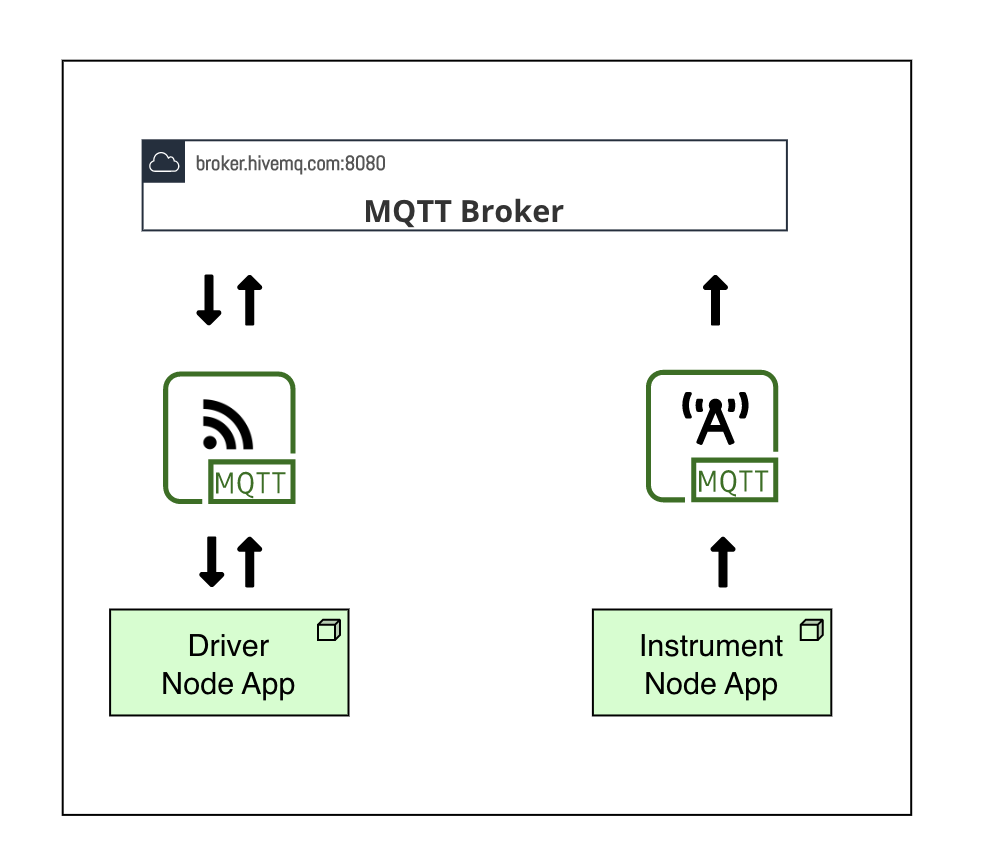
- The instrument and driver use MQTT protocol for the data transfer and monitoring. The data flow diagram below well explains the overall workflow.
- In this project the instrument is continuously publishing the data to the public MQTT broker.
- The device has subscribed to the instrument published data through the broker.
- To demonstrate this, this backend app is able to accept commands (S, SI, SIR) from angular based front end app and revert with the correct data / data stream as required.