

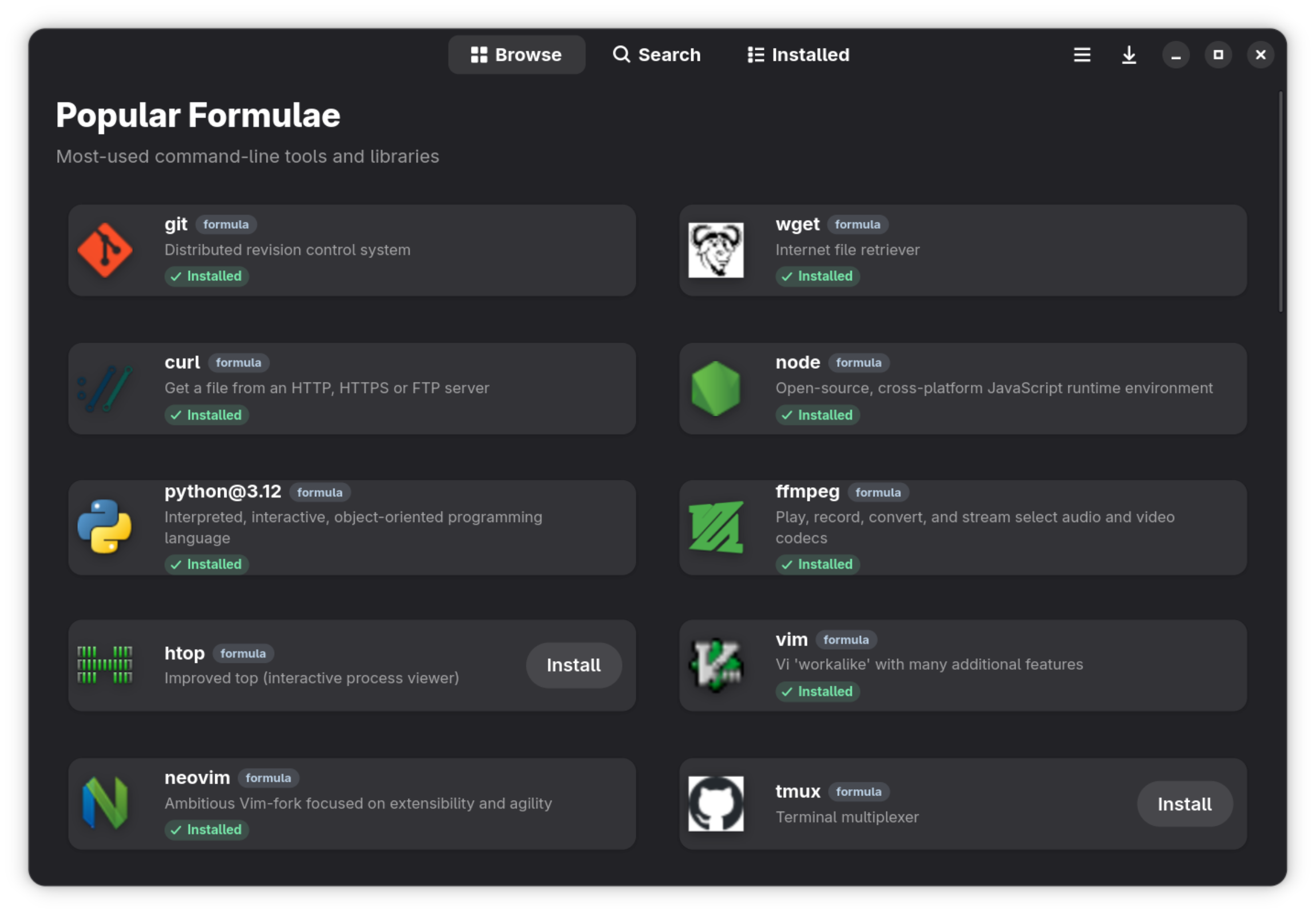
Tavern is a modern, fast, and beautiful Homebrew client for Linux, built with Python, GTK 4, and Libadwaita. It provides a premium "App Store" experience for managing your Homebrew formulae and casks.
Flatpak (Linux, recommended, with automatic updates):
flatpak remote-add --user --if-not-exists tuna-os https://tunaos.org/flatpak/tuna-os.flatpakrepo
flatpak install --user tuna-os org.tunaos.tavern
Homebrew (macOS + Linux):
brew tap tuna-os/homebrew-tap && brew install --cask tuna-os/tap/tavernOn macOS this installs Tavern.app; on Linux it installs a prebuilt AppImage and symlinks it as tavern on your PATH.
Note
The Homebrew cask lives in the org-owned
tuna-os/homebrew-tap
(moved from the maintainer's personal tap, tuna-os#79 —
tuna-os/homebrew-tap#3,
merged 2026-08-14). No personal-tap fallback is needed. The Flatpak
above remains the org-published, recommended channel either way.
Important
Your machine runs one task at a time using your signed-in AI coding CLI. The relay alternates between eligible School (OS) and Reef (apps) hives after each task. If one hive has no work, the other can continue.
The guide covers prerequisites, verified just setup, credentials, provider
costs, and how to stop with Ctrl+C. Your subscription quota or API charges apply.
Never post account credentials or API keys in issues or pull requests.


- 🏠 Curated Browse: Popular formulae and casks ranked by real install analytics, plus a daily Discover rotation.
- 🔍 Fast Search: Instant, off-main-thread searching across tens of thousands of formulae and casks (Ctrl+F), plus GNOME Shell search integration.
- 📦 Package Details: Rich information including descriptions, versions, dependencies, READMEs, screenshots, and install statistics.
- 🔤 Font Previews: Font casks render live pangram previews right on the details page.
- 📌 Version Pinning: Pin formulae and casks to their installed version; pinned packages stay out of update prompts.
- 📄 Brewfile Support: View complete Brewfiles and install all Homebrew-supported entry types without loss of options. Remove formulae and casks as a group.
- ⚡ Task Management: Queued installs, removals, and upgrades with per-package progress and a task panel.
- 🫖 Tap Manager: Add, remove, update, and trust Homebrew taps; browse tap contents.
- 🩺 Brew Doctor: Check Homebrew health, inspect warnings, retry, and copy diagnostic output.
- 🛠 Maintenance: Installed security scans, install previews, user services, cleanup previews, and a tool for historical formulae. See Homebrew features.
- 🌗 Native Design: Libadwaita interface following the GNOME HIG — dark mode, adaptive layouts, keyboard shortcuts, and a preferences dialog.
- 🐧 Linux First: Smart filtering to hide macOS-only casks on Linux systems.
- 🍺 Missing Homebrew Support: Detects missing Homebrew and offers a terminal installer, command copy, documentation, and live detection retry.
- ⚡ System-First PATH Policy: Adopts Bluefin parity so system binaries always take precedence over Homebrew binaries in PATH.
The easiest way to install Tavern is via Homebrew using the org tap,
tuna-os/tap:
brew tap tuna-os/homebrew-tap
brew install --cask tuna-os/tap/tavern
Note
This is the org-owned channel (tuna-os#79, tuna-os/homebrew-tap#3, merged 2026-08-14). On Linux the Flatpak is the org-published, recommended install.
The cask handles both platforms: Tavern.app on macOS and a prebuilt AppImage on Linux, so you don't need Tavern's build dependencies on your machine. If you'd prefer a sandboxed install on Linux, use the Flatpak instead (see below).
- Homebrew (Tavern will offer to install it interactively if not already present).
- Python 3.10+
- GTK 4 and Libadwaita development headers.
brew install gtk4 libadwaita meson ninja pygobject3 gettext desktop-file-utils blueprint-compiler
-
Clone the repository:
git clone https://github.com/tuna-os/Tavern.git cd Tavern -
Run the build and launch script:
./run.sh
meson setup builddir --prefix="$HOME/.local"
meson compile -C builddir./run.sh./run.sh rebuilds the configured build directory, installs Tavern under
$HOME/.local, and launches it. If builddir was configured with another
prefix, reconfigure it with the prefix above before running the script.
To get automatic updates directly through your software center (like GNOME Software or KDE Discover) or CLI, add the official tuna-os OCI remote:
flatpak remote-add --user --if-not-exists tuna-os https://tunaos.org/flatpak/tuna-os.flatpakrepo
flatpak install --user tuna-os org.tunaos.tavernIf you prefer to install a one-off nightly build from the main branch:
wget https://nightly.link/tuna-os/Tavern/workflows/flatpak/main/Tavern-Linux-CI.zip
unzip Tavern-Linux-CI.zip
flatpak install --user --reinstall Tavern-Linux-CI.flatpakContributions are welcome! See CONTRIBUTING.md for dev setup, tests, and PR guidelines.
Tavern is released under the GPL-3.0-or-later license. See LICENSE for details.
Part of the TunaOS ecosystem. Docs · Contributing