- Simplify your Bible Study note-taking experience with the user-friendly Obsidian.md notes app.
- Experience the seamless assistance of automated Bible Verse suggestions for effortless referencing.



-orange)

These contributions will be highly appreciated in supporting the development of the project. 👍
- 👉
Starthe Project- ☕️ Buy me a coffee @Github Sponsor
- ❤️ Provide Feedback in
Issuesor joinDiscussion
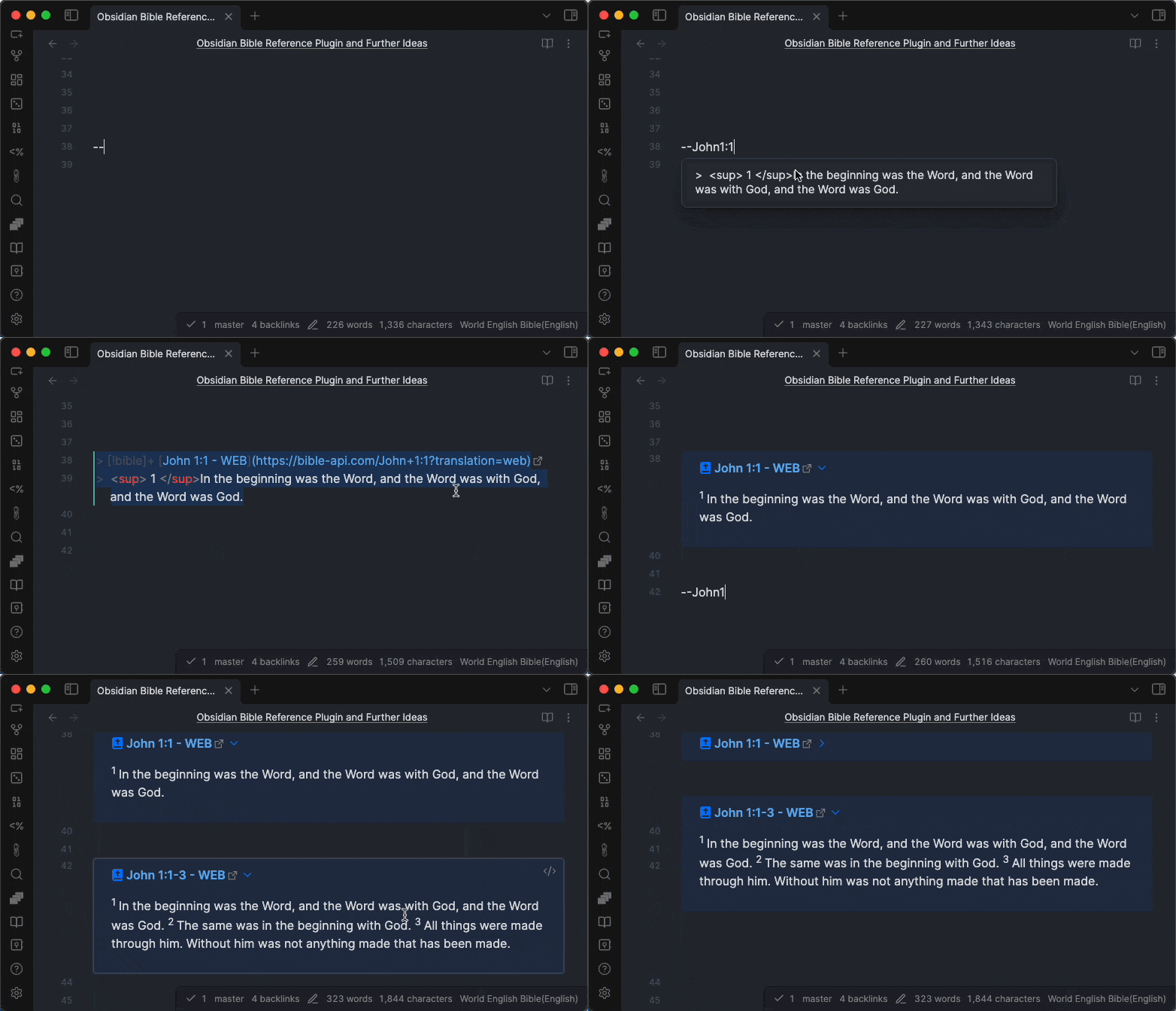
- Open a note in Obsidian.md application
- In a note, for example type
--John1:1 - Select the suggestion
Type
--John1:ato insert all verses in a chapter (a= the whole chapter).
You can also get a "verse of the day" by typing --vod.
Polish translations are available as well, including UBG (Uwspółcześniona Biblia Gdańska) and BG (Biblia gdańska).
Read more about How to use
On iOS devices, there is a known issue about conflict between
Smart Punctuationand double hyphens--.To make it work,
- you can use
++instead of--in the beginning of the verse reference =>++John1:1(recommended)- or you can turn Smart Punctuation off => How to use
- All different kinds of contributions are welcome, see: How to Contribute
- Credits: Bible API/Data Source Providers
Thanks goes to these wonderful people (emoji key):


Special thanks for the sponsors

- Bible Vector Search To search Bible verses in meaning not in keywords. This is another open source project I built recently to implement AI Embedding and Vector Search for Bible verses (in BBE translation).
This repository is a Bun workspace monorepo. The repository root doubles as the installable Obsidian plugin folder (manifest.json, versions.json, styles.css, and the built main.js live at the root), while all source lives under packages/:
obsidian-bible-reference— the Obsidian plugin source (this README documents it). Its build emitsmain.jsto the repository root.bible-reference-toolkit— Normalize Bible references, convert them to machine-readable formats, query and manipulate them.bible-book-names-intl— Bible book names in multiple languages (the source used to resolve non-English book names).
bun install          # install all workspace deps
bun run build        # build the plugin (main.js -> repo root)
bun run dev          # watch build
bun test             # run all package tests
bun run lint         # lint the plugin package