Home
Classic Theme on Windows 10
Dark Theme on Windows 11 (v2.20.3+)
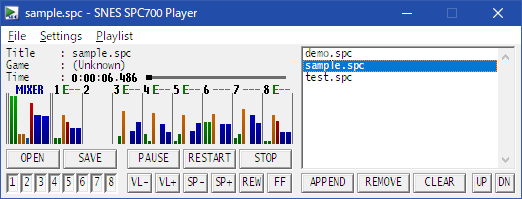
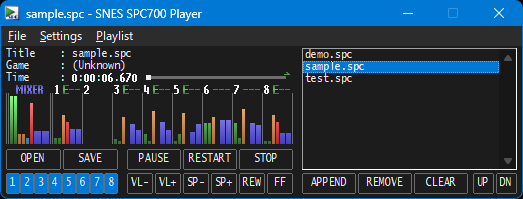
- The "SNES SPC700 Player" is a Windows application for playing Super NES (SNES) music files (SPC) on your PC.
- It is based on SNESAPU.DLL v2.0, which has a reputation for high sound quality, and includes some features of v3.0, proprietary enhancements, and numerous bug fixes.
- This player has a very simple design, but offers a number of features specific to SPC playback. See the "Features" section for details.
- High quality sound: 32-bits floating-point mixing, max 96kHz, and crackle-noise canceller.
- Simple graphic indicator, SPC700/DSP register values and ID666 viewer.
- Script700 compatible engine.
- Mute each channel (instrumental part).
- Change tone pitch (every semitone, -6 ~ +6), play speed (1% ~ 800%), and volume (5% ~ 400%).
- Fast seeking using a caching mechanism (rewinding is especially fast).
- 2-points Linear, 4-points Cubic, 4-points Gaussian, and 8-points Sinc interporation.
- Low-pass filter with the same cutoff frequency as the actual device.
- Some additional DSP functions (BASS boost, reverse L/R, and synchronize envelope speed).
- Force disable DSP options (surround, main/echo, FIR, pitch modulation/bend/limit, envelope, and noise).
- Supported ID666 playback/fade-out settings, endless playback is also possible.
- Songs transition seamlessly by silent detection if not set playback time in ID666.
- Various repeat methods (single, loop all, random, shuffle, A-B repeat).
- Slightly unreliable BPM analyzer (range 60 ~ 200).
- Kankichi-kun driver's tuning parameter (base pitch) searcher.
- SPC to WAV in GUI/CUI.
- Simple debugger in CUI: SPC700 break point, DSP cheat, write to SPC700 ports.
- No need to install another runtime and framework packages, works standalone.
- Not save data in system registry, so simply delete application's files to uninstall.
- Simple and compact design condensed into one window.
Latest stable version:
- i386/x86: Windows XP SP2+, Vista, 7, 8, 8.1, 10
- amd64/x86_64: Windows Vista, 7, 8, 8.1, 10, 11
* Runs on WOW64 on amd64 environments. There are currently no plans to release a native x64 version (excluding SNESAPU.DLL).
* It has not been tested in arm64/aarch64 environments equipped with ARM-based CPUs.
* It may also work on macOS/Linux with Wine installed, but operation is NOT guaranteed. Use at your own risk.